Retrieving Logs from TR-069 Devices
To get device-generated log files, simply select the target TR-069 device, whose logs to be viewed from the list of registered devices and expand the Device Logs pane on the right. The logs created for the device can be viewed, filtered and sorted. For detailed information refer to the Log Service User's Guide of the System Package documentation and to the "Managing Devices and Their Components" from the Generic Device Management User Guide.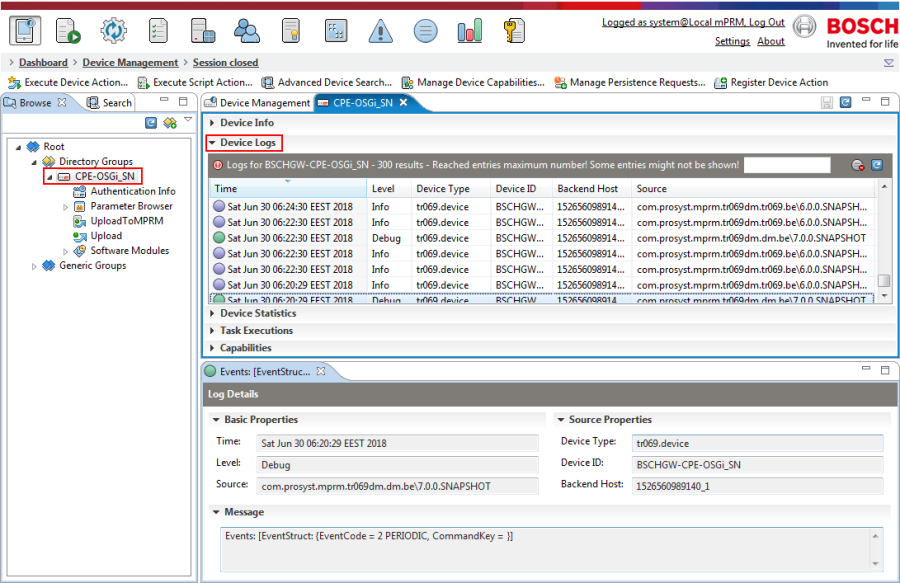
Figure 42: . Logs for a TR-069 device.
Collecting Statistics
General View
You can collect statistical information using the Statistics dashboard view of the Management Console. Information about how to filter and sort the provided statistical information can be found in the System Package documentation.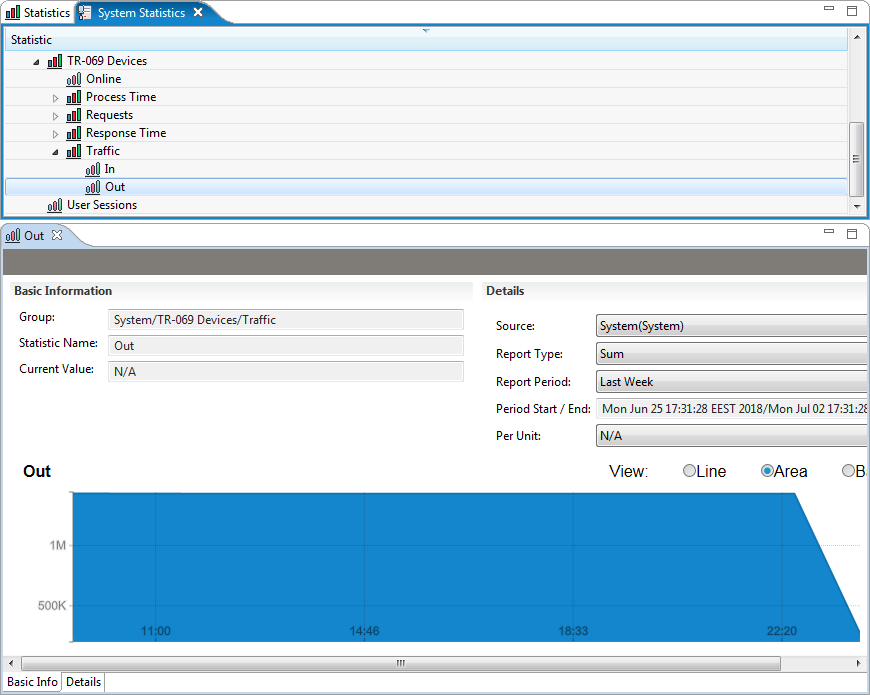
Figure 43: . TR-069 statistics information.
Available Statistics for TR-069 Devices
Following is a short description of the statistics generated by RM for TR-069 devices as can be seen from the figure above:
- Online Devices - Statistics about the online device state of the TR-069 devices.
- Requests - Statistics about the successful and unsuccessful requests from the device and from the ACS (RM backend).
- Traffic - Statistics about the generated traffic from the ACS and from the TR-069 devices.
- User Sessions - Statistics about the user sessions.Your feedback helps us to continuously improve our products and components. Please send any questions, comments or suggestions for improvement to support@bosch.io.