This document is a guide to using the Management Console for remotely managing the available on Gateway Software Functional Items and Devices.
Console
To use Remote Functional Items Management (FIM), the "Functional Item Management Agent" optional feature should be installed on the OSGi gateway. See additional details in : Installation Guide
Devices available on Gateway Software can be managed remotely using the Management Console. To do so:
- Go to Dashboard>Device Management
- Under Root>Directory Groups> <gateway name> are found the nodes for: group management – Functional Item Groups , functional items management – Functional Items and device management – Devices
Functional Items Management
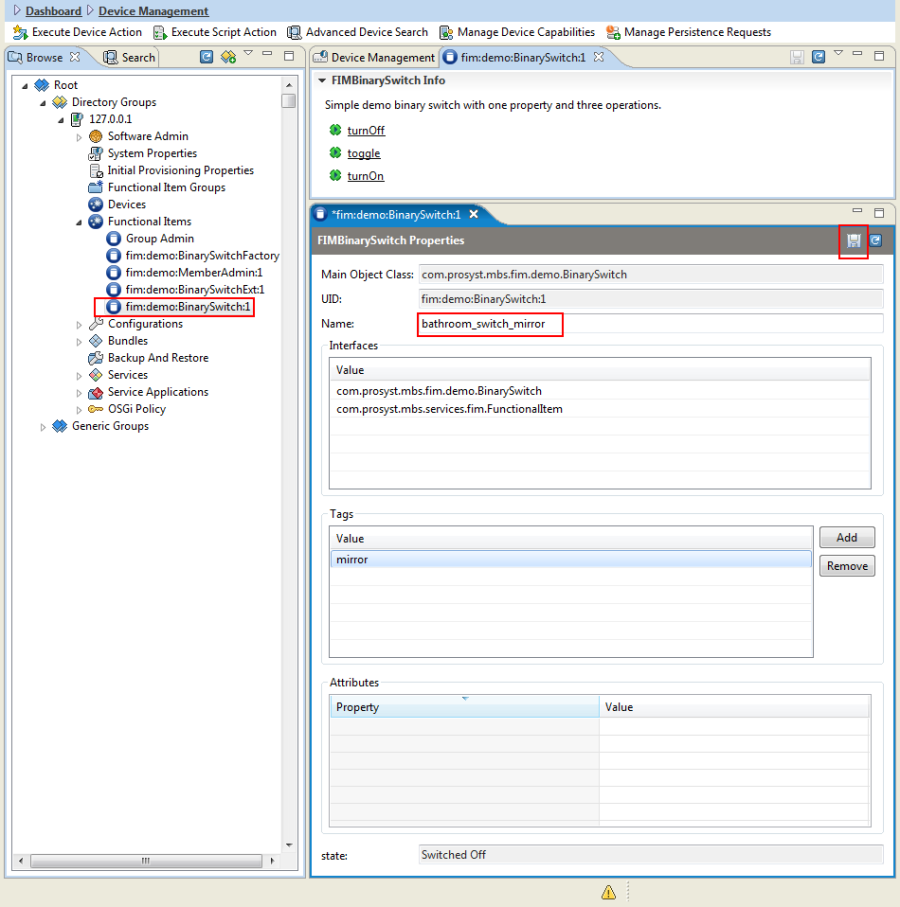
Functional Items are listed under Functional Items node. They have some common properties – UID (identifies the FI in the scope of Gateway Software), Name, Interfaces, Main Object Class, Attributes, Tags, where Name and Tags are editable.
Functional Items can have additional properties and actions depending on their interface (Main Object Class) e.g. Binary Switch will have:
- Actions – turnOn, turnOff, toggle
- Properties – locked, unlocked
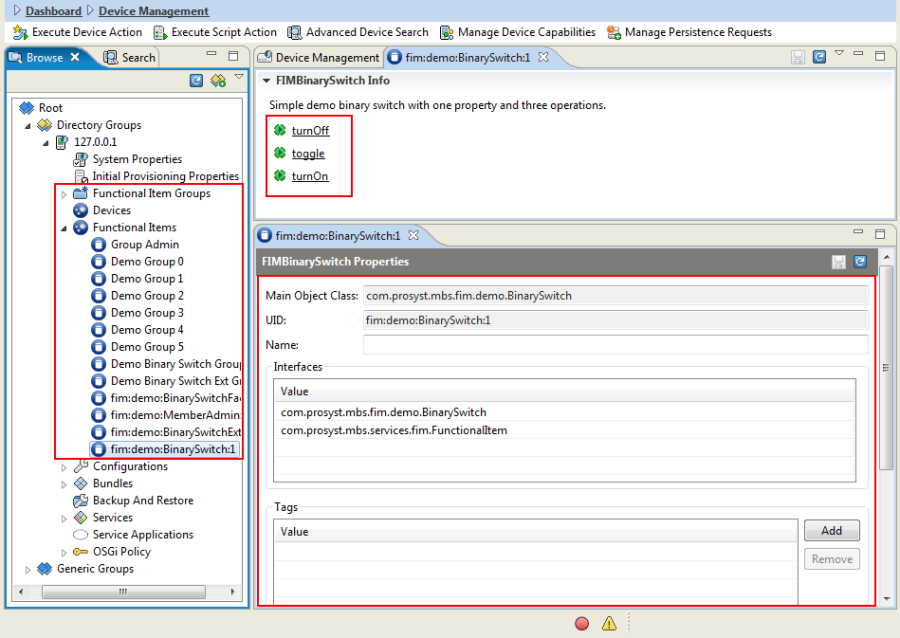
How to execute an action and set a property
- To execute an action:
- Select the Functional Item to be managed from the OSGi device node.
- Then select the action from the ones listed in the Info window . If the action does not require input arguments, it will be executed instantly. If there are some arguments to be entered, a dialog box would open.
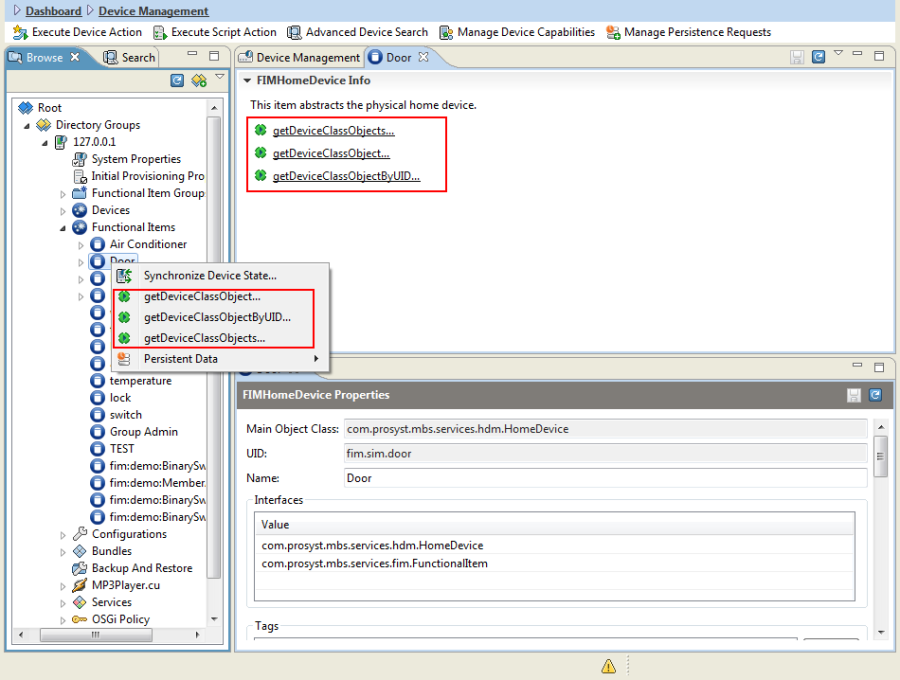
Actions can also be executed from Functional Item context menu.
- To set a property on a Functional Item:
To edit a property e.g. change "Name", go to "<Functional Item> Properties" panel, enter the new value and click on the "Save" icon.
Device Management
Devices are grouped under the Devices node. Functional Items associated with the device (device class objects in the DA context) are found as child nodes.
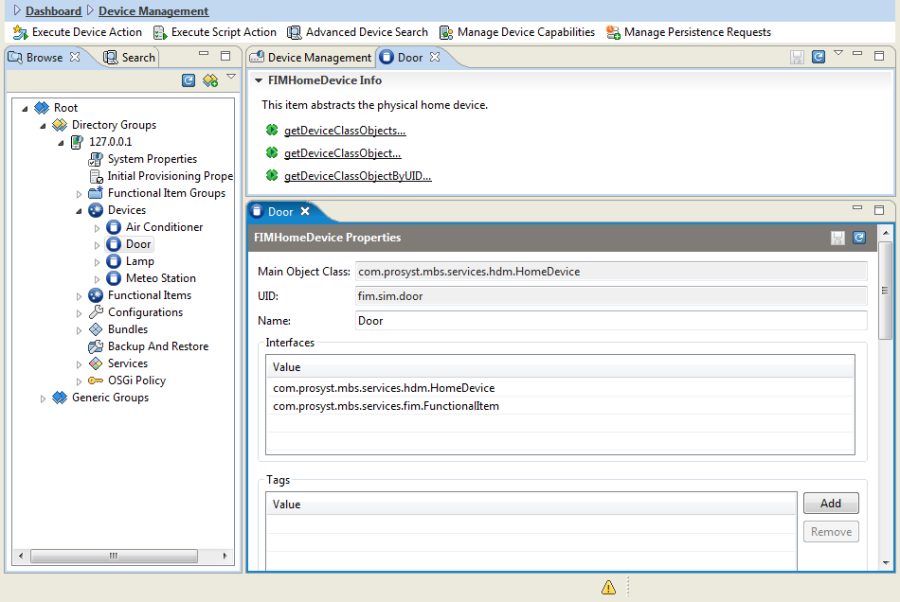
Device FIs Properties and Operations
Properties:
- status – current status of the HomeDevice. Status can be:
- Removed – indicates that the HomeDevice is removed from the system
- Not Initialized – indicates that the HomeDevice is still not initialized
- Offline – indicates that the recent communication with HomeDevice has been failed
- Online – indicates that the recent communication with HomeDevice has been passed through
- Initializing – indicates that the HomeDevice is in process of initialization
- Not Configured – indicates that the HomeDevice is not configured
- Removing – indicates that the HomeDevice removing from the system is invoked
- Firmware Updating – indicates that the HomeDevice firmware is updating

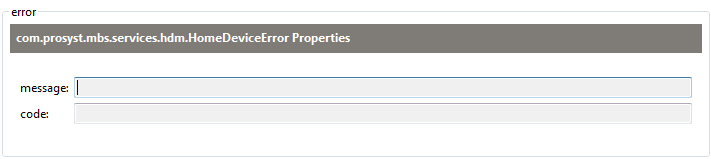
- error – the "error" property has values in the "message" and "code" fields in statuses: "Offline", "Not initialized" and "Online" and the systems finds an error in its functioning.
- device.classes – contains the names of device classes supported by the home device

- deviceClassObjects – this property contains a list of UIDs of the device class objects supported by the home device

HomeDevice interface provides access to the DeviceClassObjects that represent the functionalities of a device.
Operations:
- getDeviceClassObject – returns the first device class object that implements the defined device class
- getDeviceClassObjects – returns all device class objects that implement the defined device class
- getDeviceClassObjectByUID – returns a device class object with the defined unique ID
Functional Item Groups management
Functional Item Groups are found under the Functional Item Groups root node. A Functional Item Group can contain functional items and other groups. Child groups and items are listed as sub-nodes under the group.
The root node has an action for creating a FIM group – Create Group  . Groups have actions for creating child groups (Create Child Group), adding/removing items from a group (Add Item/Remove Item) or removing group (Remove).
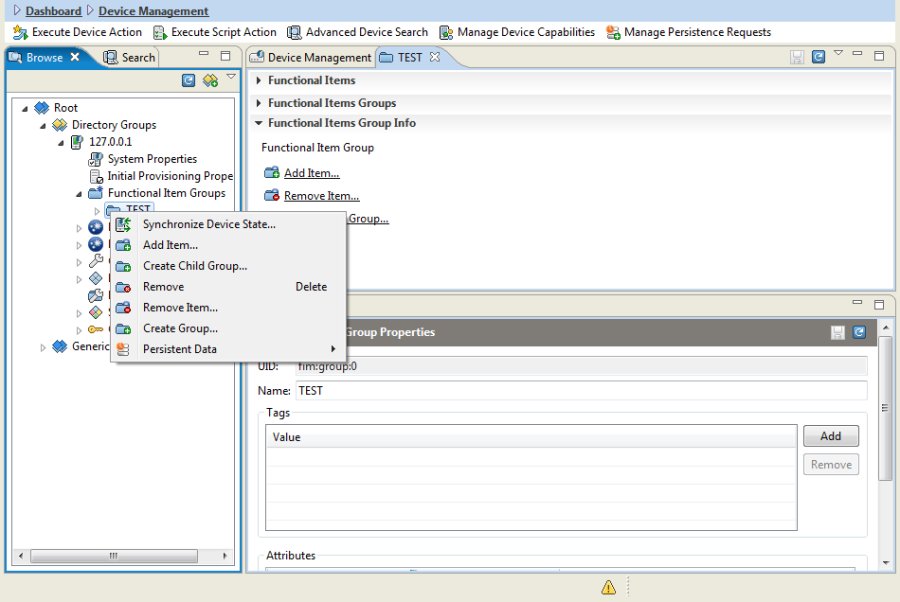
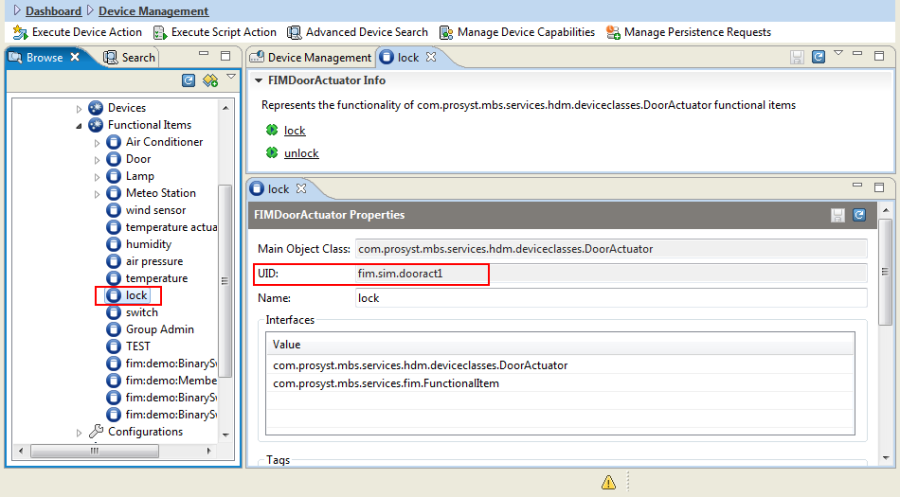
For adding/removing FI to a group go to the selected item properties and copy its UID.
Then put it in the dialog box that opens for adding an item,
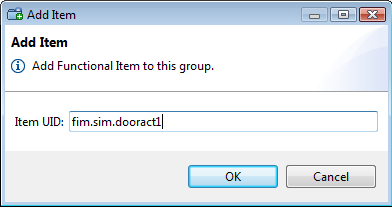
or in the Remove Item dialog when removing an item
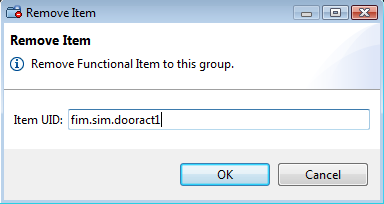
Groups are functional items themselves and can be added as child groups or removed from parents in the same way.
One Functional Item / FI Group may be added in several groups.