Provides information about configuring of the Remote Functional Item Management module.
Prerequisites
On the OSGi Framework install the Functional Items Management (FIM) package by executing the command:
kitman.i "Functional Item Management" By executing the command kitman.i "Functional Item Management Demo Simple" some demo Functional Items are installed for testing purposes.
Establishing Remote Connection
If you want to enable the remote FIM access on user devices:
- In case you register a new device in RM through the console:
Start the Register OSGi Device wizard and in the Optional Administration Features dialog, select Functional Item Management Agent.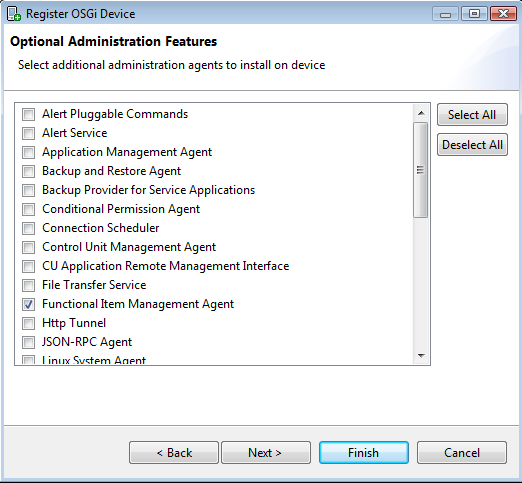
- In case it is an already registered device:
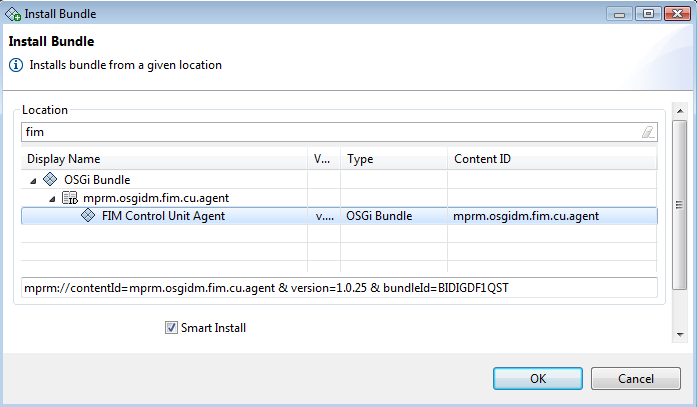
- on the console – install the bundle responsible for the FI remote access: com.prosyst.mprm.osgidm.fim.cu.agent. In the device tree select the "Bundles" node, then the "Install Bundle" option. A dialog opens. Locate the "FIM Control Unit Agent" and click on it. Check the "Smart Install" option before starting the installation.
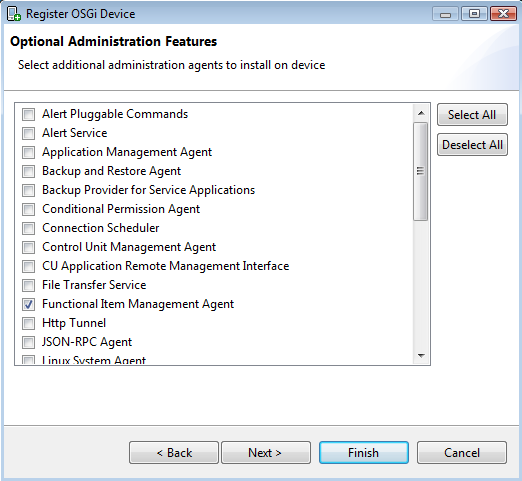
- re-provision the device – use the "Initial Provisioning Properties" device sub-node to invoke the "Register OSGi Device" wizard. Skip the first two dialogs, click "Next" and go to "Optional Administration Features". Select "Functional Item Management Agent" from the list of features and click "Finish".
- or by manually installing the appropriate bundle JAR files from the packages/osgidm folder directly on the OSGi framework
- osgidm.clientcu.agent.jar
- osgidm.fim.cu.agent.jar