Overview
Management is done from within the OSGi environment by means of a management agent – Linux System Agent. For more information about the concepts behind this management feature, refer to OS System Management conceptual guide.
When connected to an OSGi device over Linux OS, the console shows three extra nodes under the device root:
- Processes – View and create/kill processes from this node.
- Storage Info – View mounted file systems.
- System Info – View the value of a certain OS characteristic. Such as: memory usage, network traffic, etc.
Processes Node
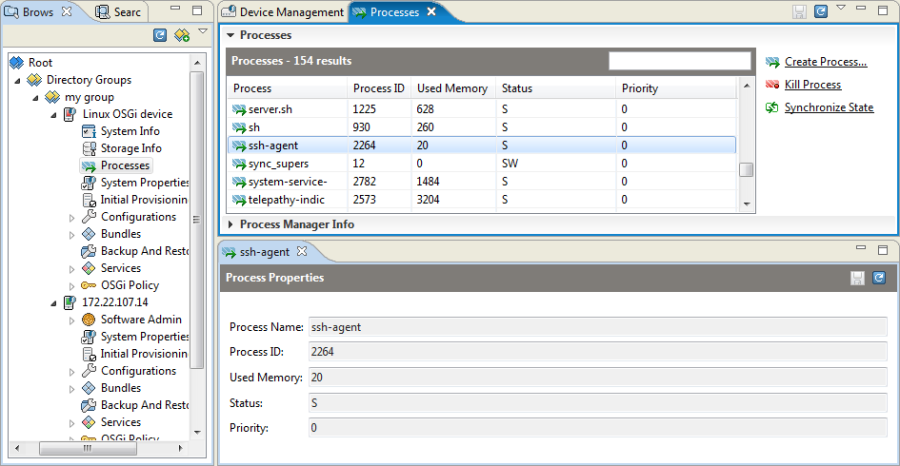
The Processes node of a connected OSGi device allows you to view and manage all OS processes on the device. Use the Synchronize State button to refresh the processes information shown on the backend.
Launching a New Process
To launch a new process on the selected OSGi device:
- Click the Create Process action in the right pane.
- In the Create Process dialog, specify the process properties and click OK.
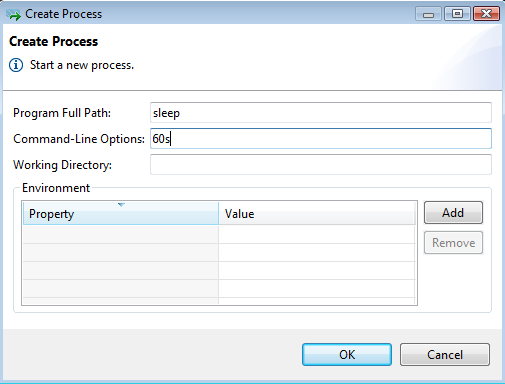
- Mandatory properties:
- Program Full Path – The name of the binary that should be executed
- Optional properties:
- Command-Line Options – The command line arguments for the binary, separated by spaces.
- Working Directory – The directory on the device where the process should be started
- Environment – The environment variables that should be set before running the binary. Use the Add button to set a variable.
Terminating a Process
To terminate a specific process, select it from the process list, and use the Kill Process command from the actions list on the right.
Monitoring Storage Information
The Storage Info node displays all available partitions (mounted file systems) on the target Linux OSGi device along with information about the disk space consumed by each mounted storage. Only file systems backed up by device-local physical storage are reported – virtual and network file systems are not shown.
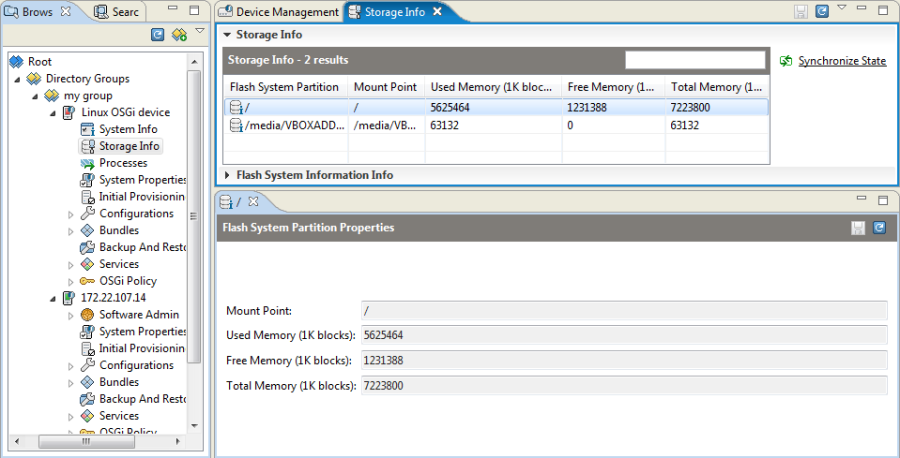
Use the Synchronize button to refresh the state of the storage on the backend.
Monitoring System Performance
The System Info node contains system information about the Linux OSGi device, such as operating system properties, memory usage, incoming and outgoing network traffic, etc.
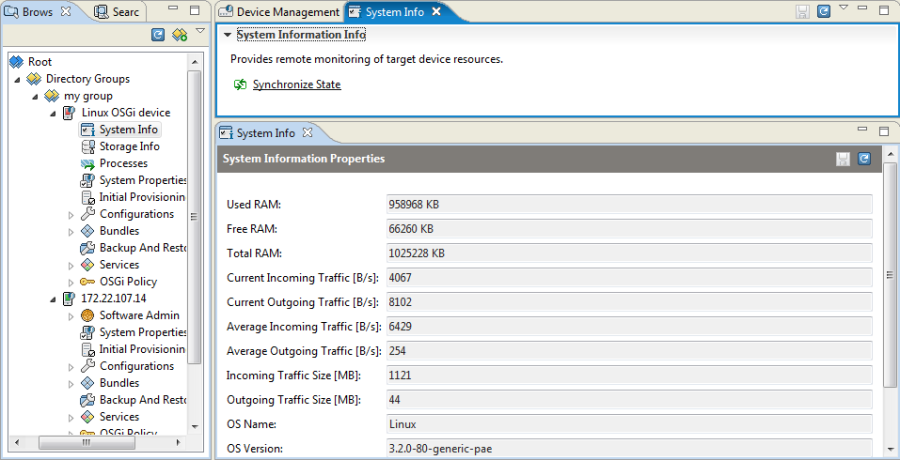
- Used RAM – Occupied RAM memory of the device in Kb
- Free RAM – Free RAM memory of the device in Kb
- Total RAM – Total RAM memory of the device in Kb
- CPU Usage – Current CPU usage in percents
Current Incoming Traffic [B/s] – Incoming bandwidth usage in bytes per second at the moment of the event generation
Current Outgoing Traffic [B/s] – Outgoing bandwidth usage in bytes per second at the moment of the event generation
Average Incoming Traffic [B/s] – Average incoming bandwidth usage in bytes per second since system startup
Average Outgoing Traffic [B/s] – Average outgoing bandwidth usage in bytes per second since system startup
Incoming Traffic Size [MB] – Incoming traffic in MB since system startup
Outgoing Traffic Size [MB] – Outgoing traffic in MB since system startup
- OS Name – The name of the OS running on the device
- OS Version – The version of the OS running on the device