In a setup where there will be one Bosch IoT Rollouts and many Bosch IoT Remote Manager instances, you need to generate a root certificate which is set to Rollouts, and use the same certificate to sign other certificates for the Remote Manager instances. The CommonName for the Rollouts certificate can be whatever you wish. It is mandatory however that the CommonName (CN) of the Remote Manager certificate is equal to the targetName that you will try to connect to Rollouts.
Follow the example on how this can be achieved with OpenSSL:
1. Generate a Root Certificate for Rollouts:
openssl req -new -keyout rokey.pem -out roreq.pem -sha512openssl x509 -signkey rokey.pem -req -days 365 -in roreq.pem -out ro.cer -extensions v3_ca2. Generate Remote Manager (client) certificate:
openssl genpkey -out rmclient.key -algorithm RSA -pkeyopt rsa_keygen_bits:2048openssl req -new -key rmclient.key -out rmclient.csrecho 1234 > serial.txtopenssl x509 -CA ro.cer -CAkey rokey.pem -CAserial serial.txt -req -in rmclient.csr -out rmclient.cer -days 3653. Set the Root Certificate in Rollouts:
If using Rollouts in AWS (EU-1 and US-1), you need to extract the SHA-256 fingerprint:
openssl x509 -noout -fingerprint -sha256 -inform pem -in caroot.cerIf using Rollouts in Bosch IoT Cloud (EU-2), you need to extract the MD-5 fingerprint:
openssl x509 -noout -fingerprint -md5 -inform pem -in caroot.cer
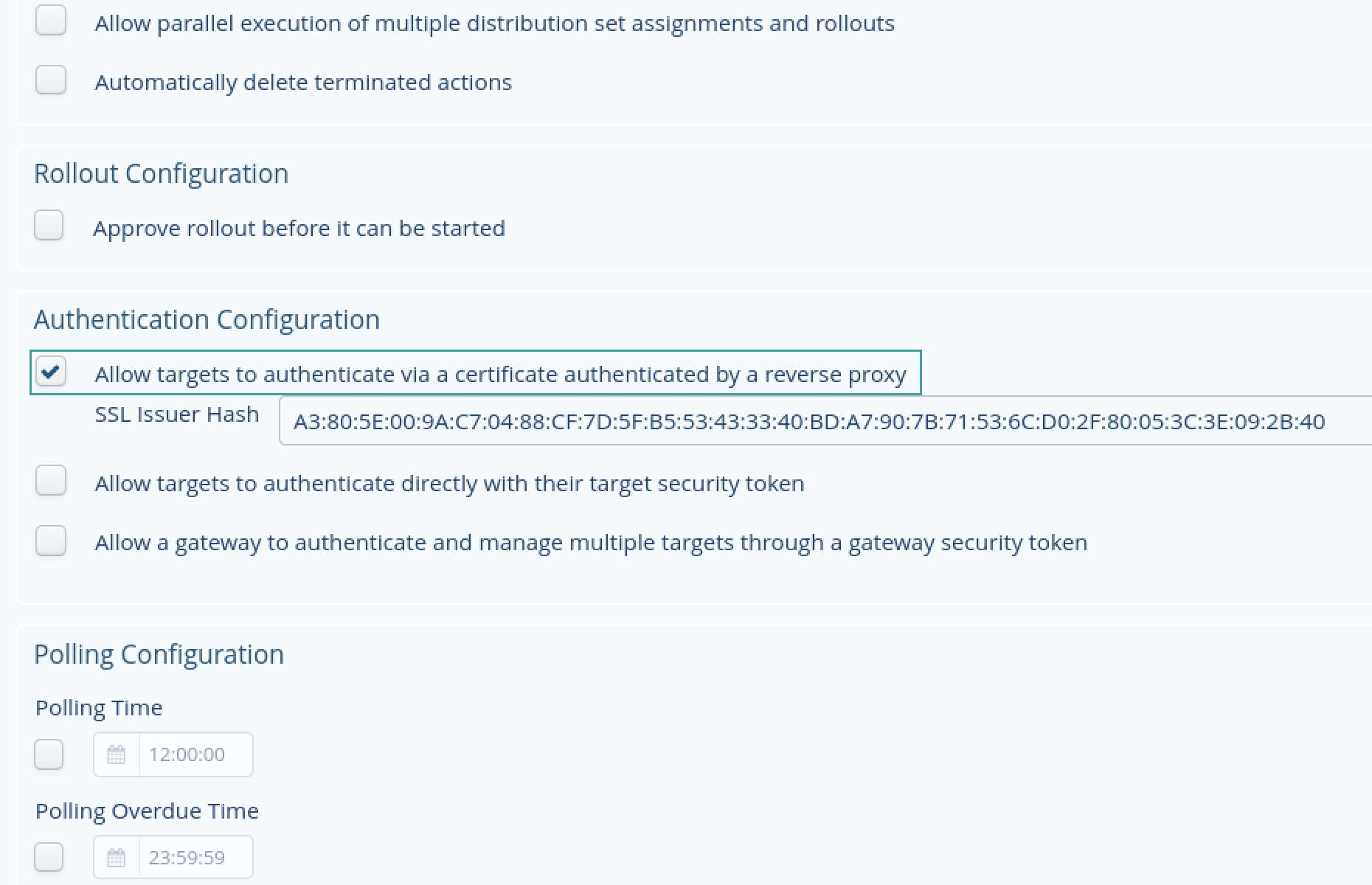
Go to the Bosch IoT Rollouts UI → System Config and allow targets to authenticate this certificate with the fingerprint: (Don't forget to click save at the bottom of the page):
4. Verify authentication on a command line (optional step)
At this point you can open a Linux terminal and do a curl to Rollouts. First you need to put the Rollouts and the Remote Manager certificates in a chain:
cat client.cer caroot.cer > chain.cerThen use the following curl template:
curl -v --cert chain.cer --key client.key --pass '[pass]' https://device-cert.eu1.bosch-iot-rollouts.com/[tenant]/controller/v1/[Certificate CN]If this fails, it will not work in Remote Manager either, so it has to be troubleshooted.
As a troubleshooting step double-check your password for the private key and Remote Manager CommonName. If you can't figure it out, contact us and we will gladly assist.
5. Get the QuoVadis Global SSL ICA G3 certificate required by Rollouts:
You can download it directly from your browser.
Go to the following link: https://device-cert.eu1.bosch-iot-rollouts.com/
Select the "lock" icon marked with step 1 as on the screenshot below.
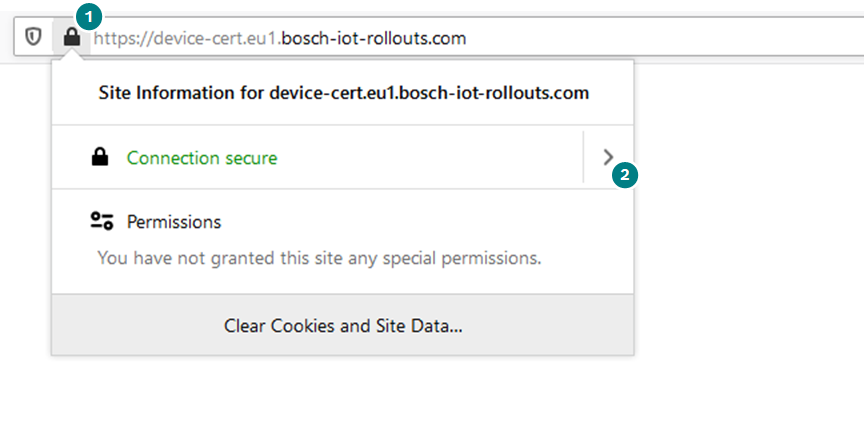
Then, depending on your browser find the menu with more information about the certificate and download/export it.
6. Upload the certificates in Remote Manager:
Go to the Remote Manager UI, and select the Certificates perspective:
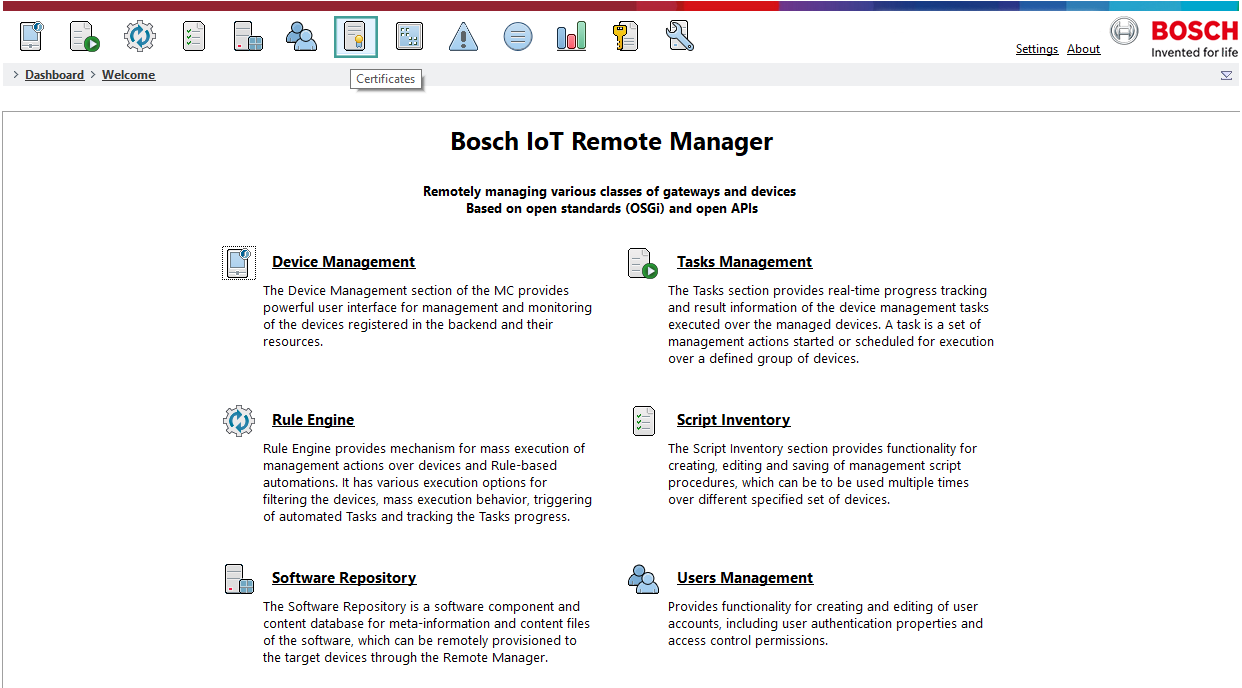
Select Import Certificate on the left side of the screen.
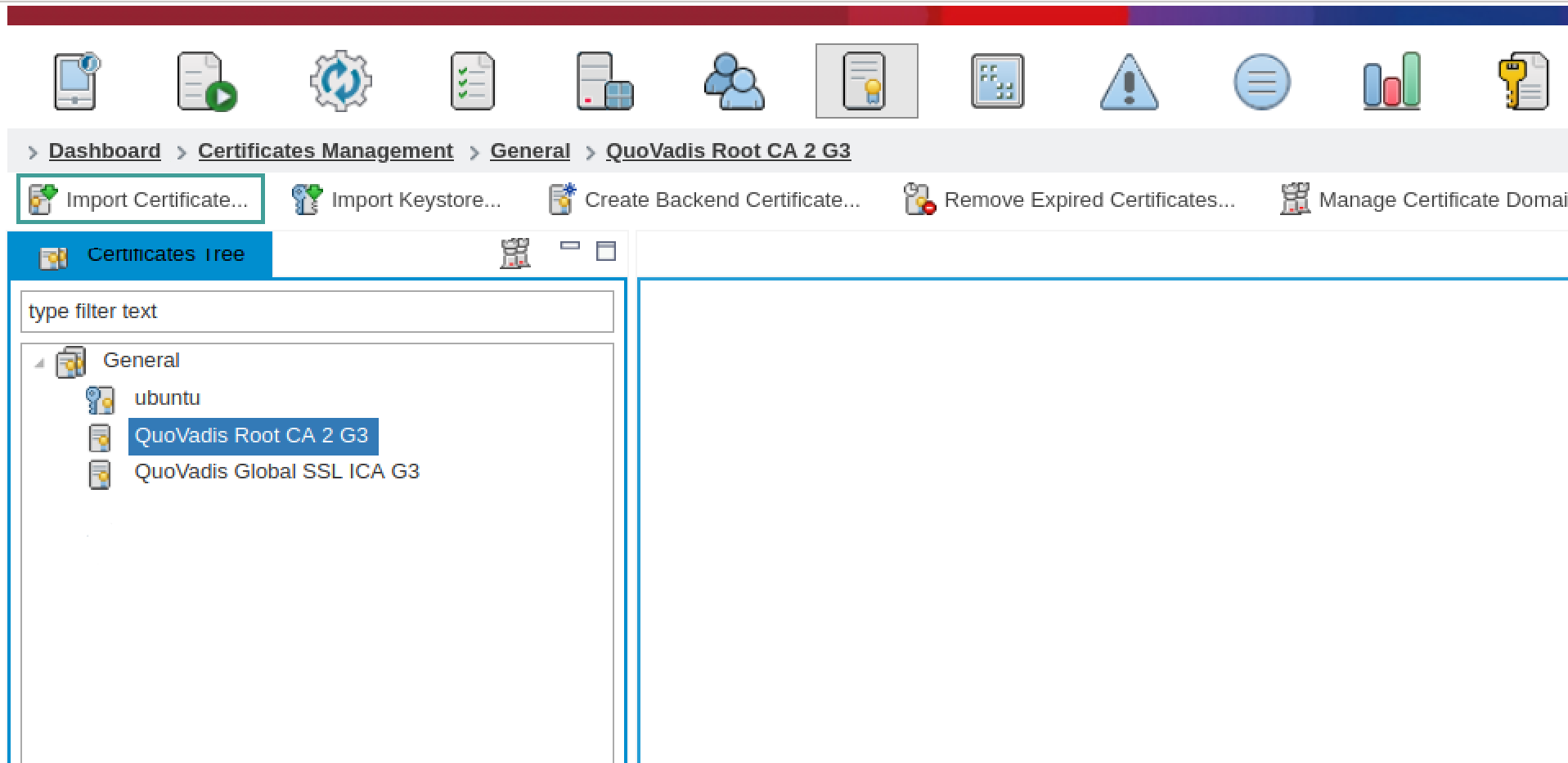
Upload the QuoVadis Global SSL ICA G3 certificate with domain "mPRM TLS Client".
Upload the Rollouts certificate with domain "mPRM TLS Client".
Upload the Remote Manager certificate with domain "mPRM TLS Client". Use the screenshots below for guidance:
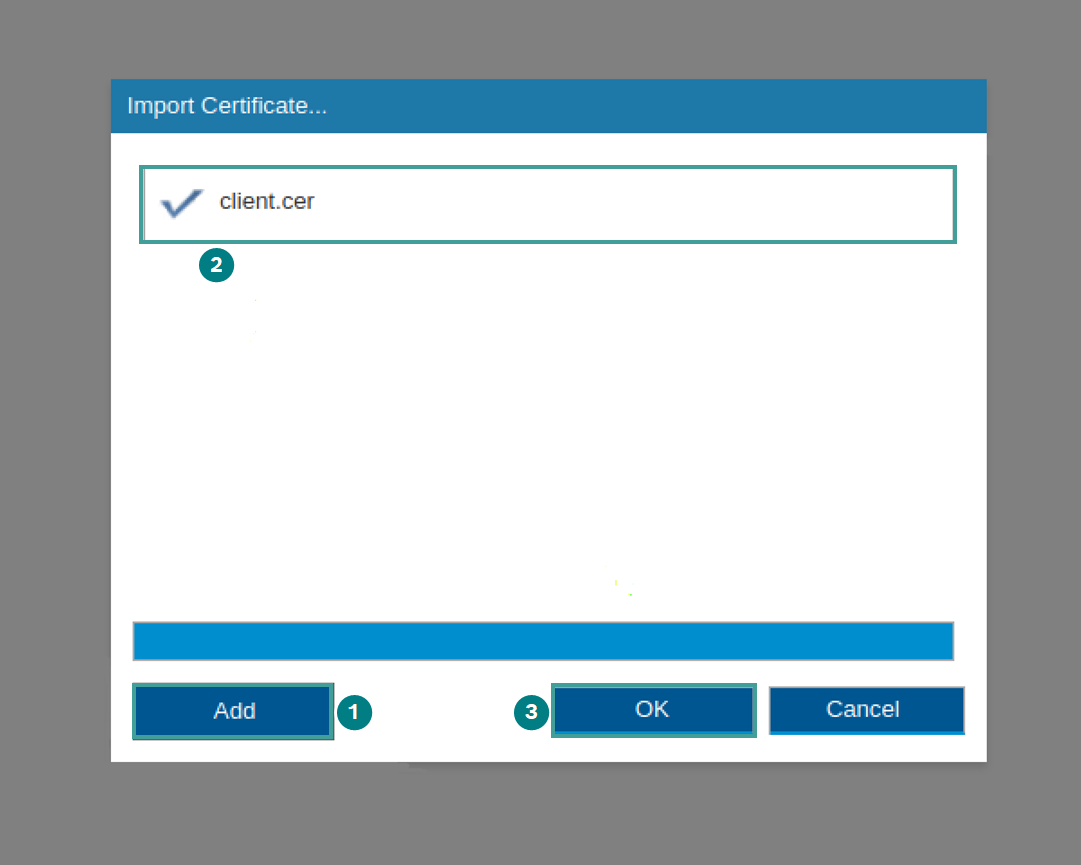
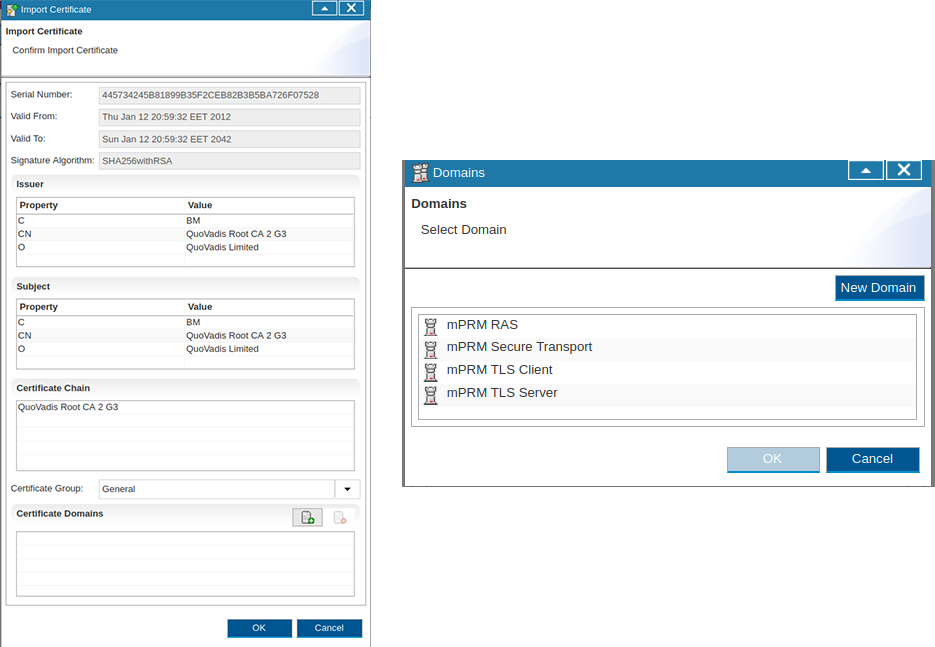
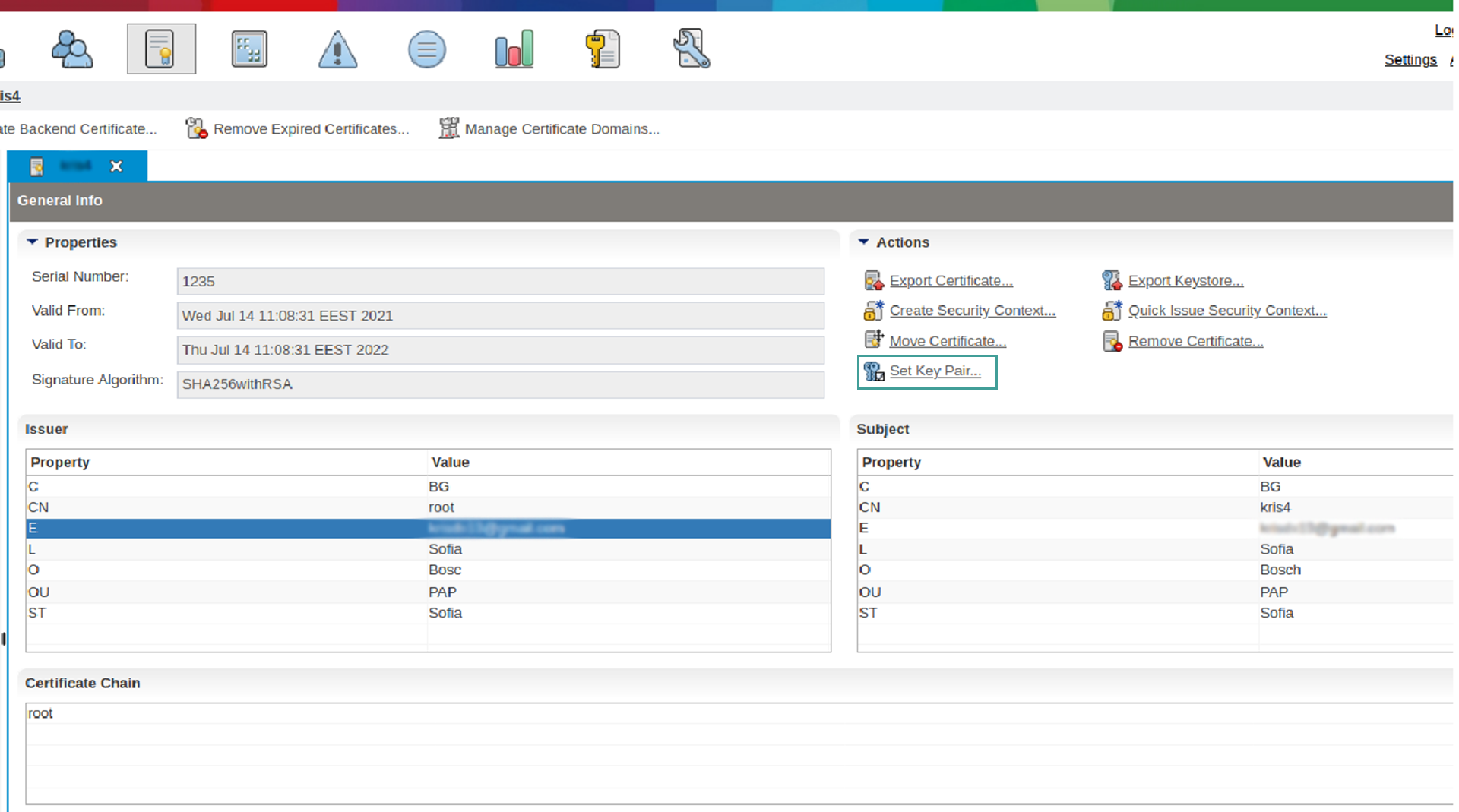
Set the private key to the RM certificate as shown below:
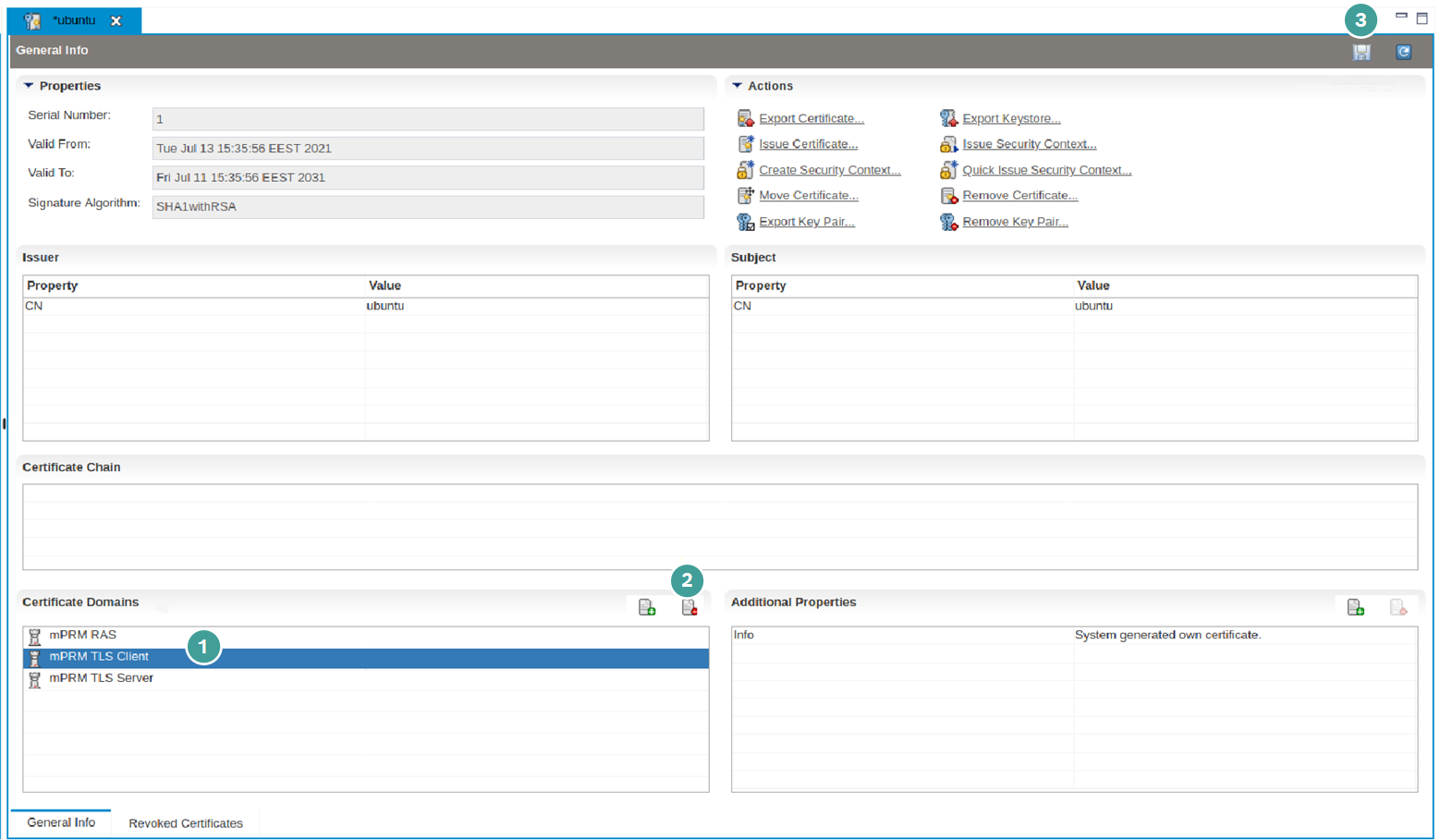
Remote Manager will initially have one certificate with Common Name - [Your machine hostname]. On that certificate we want to remove the "mPRM TLS Client" domain:
Select the mPRM TLS Client from the Certificate Domains panel and remove it using the Delete icon marked with step 2 in the screenshot below.
Do not forget to click the save button marked with step 3 on the screenshot below.