In the current version of Bosch IoT Remote Manager, LwM2M secure connections can be established only through Pre-Shared Key Authentication.
Future versions will also integrate the other security modes specified in the LwM2M standard - Raw Public Key and X509 Certificates.
Setting up Pre-Shared Key Authentication
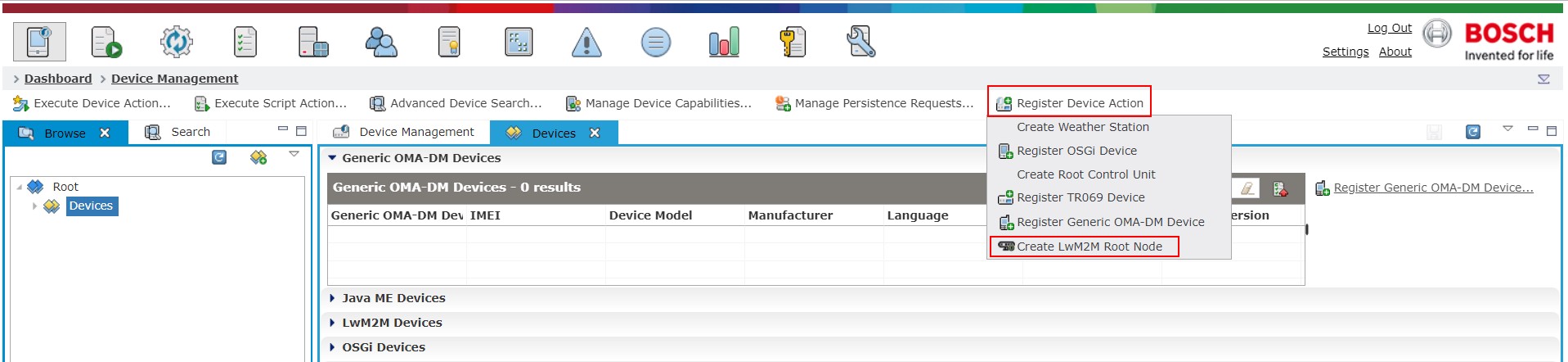
If you choose to apply security, the first step is to create a device root node by clicking on Register Device Action as shown on the following screenshot and then selecting Create LwM2M Root Node.
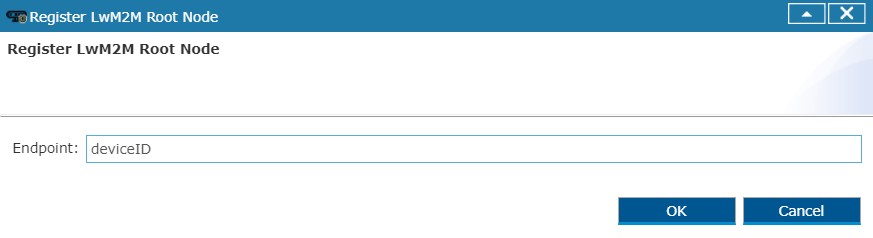
This will display a pop-up with an input field for the unique identifier of the LwM2M client.
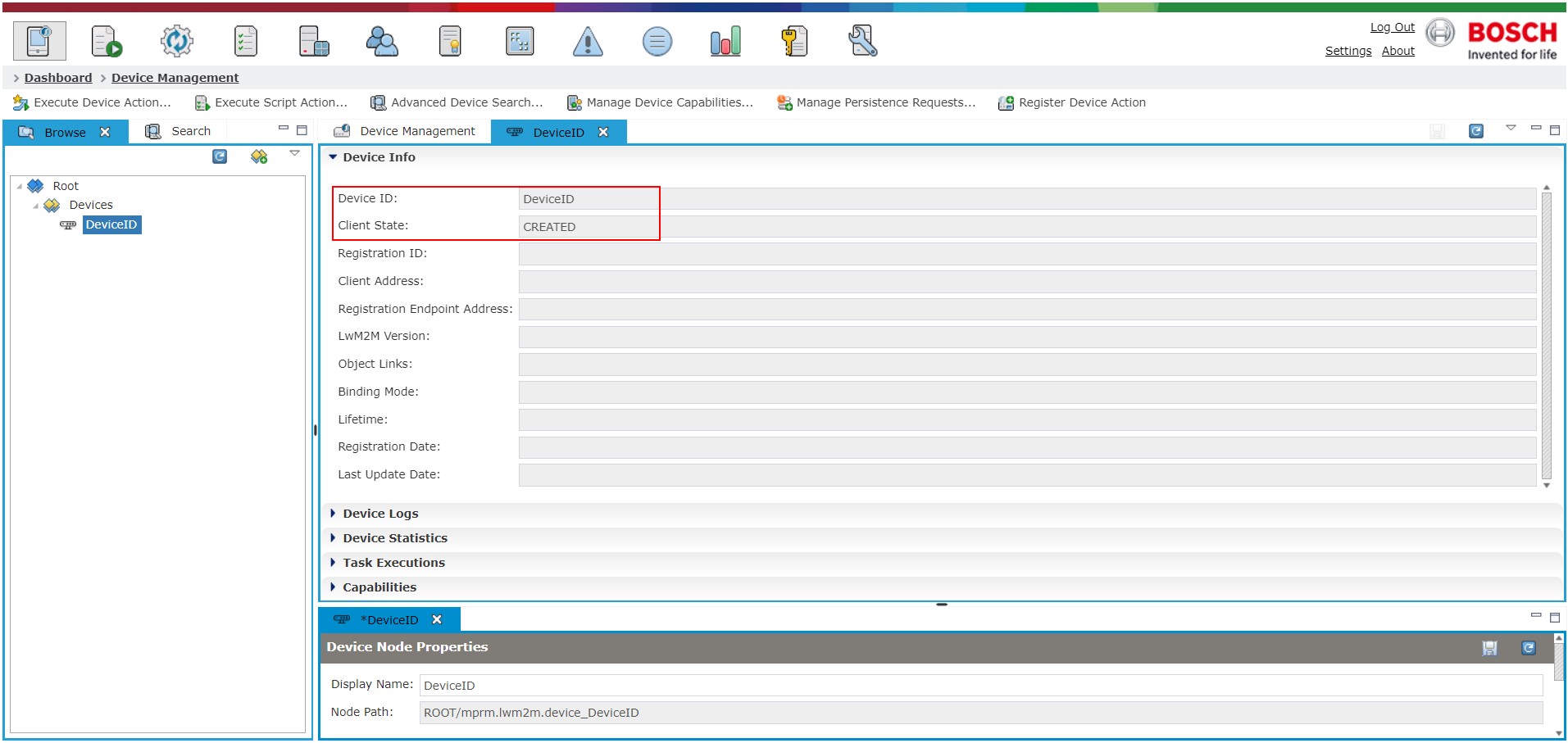
Once you confirm, the newly created root node will appear in the management tree. For the time being, the Device Info section will present only the assigned Device ID and a CREATED Client State. The rest of the fields will be populated once an actual device is connected.
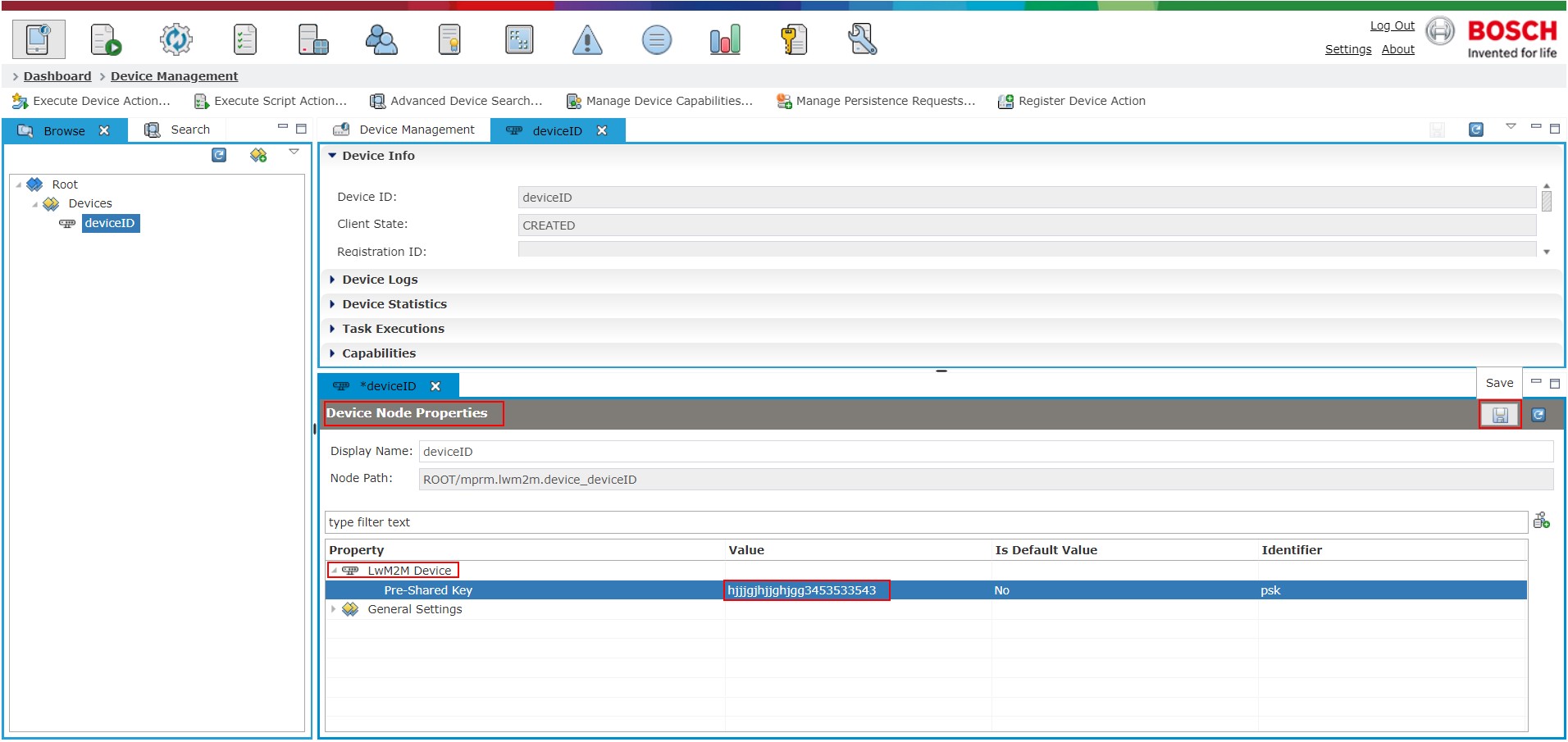
Go to the Device Node Properties tab as shown on the screenshot below and expand the LwM2M Device node. You will see the predefined node property of Pre-Shared Key, where the actual key will be held. Enter a value of your choice and click the save button.
This is the point where the device can be started and if the keys match, the authentication will be successful. Otherwise, the handshake will fail.