Working with the Rule Engine of Remote Manager is described in detail in a dedicated section of this documentation.
For LwM2M clients in particular, the Rule Engine must be used as follows:
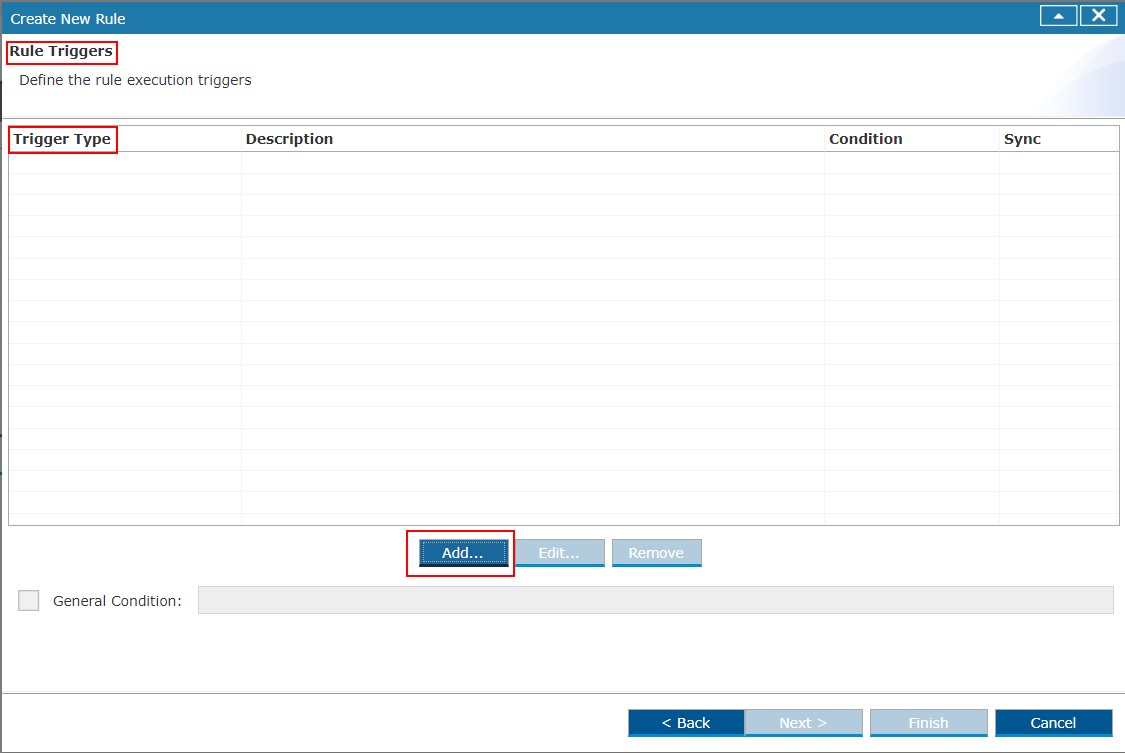
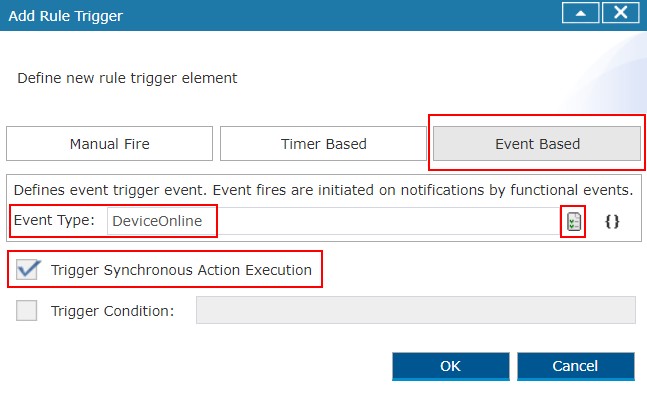
When you select an existing rule or create a new rule, you will be prompted to add Rule Trigger Type (screenshot - Step 1), upon which you must select Event Based trigger (screenshot - Step 2). In this dialog box, it is also obligatory to:
Select "DeviceOnline" as Event Type from the drop-down list to the right of the input field - this trigger will invoke the script in the rule, when the client becomes online
Check the box of the "Trigger Synchronous Action Execution" option
Step 1
Step 2
An invocation from the UI has an equivalent script, as the one in the example below:
ControlUnit cu = target.getControlUnit('integer.resource', 'Lifetime:1:0:1');
cu.read();
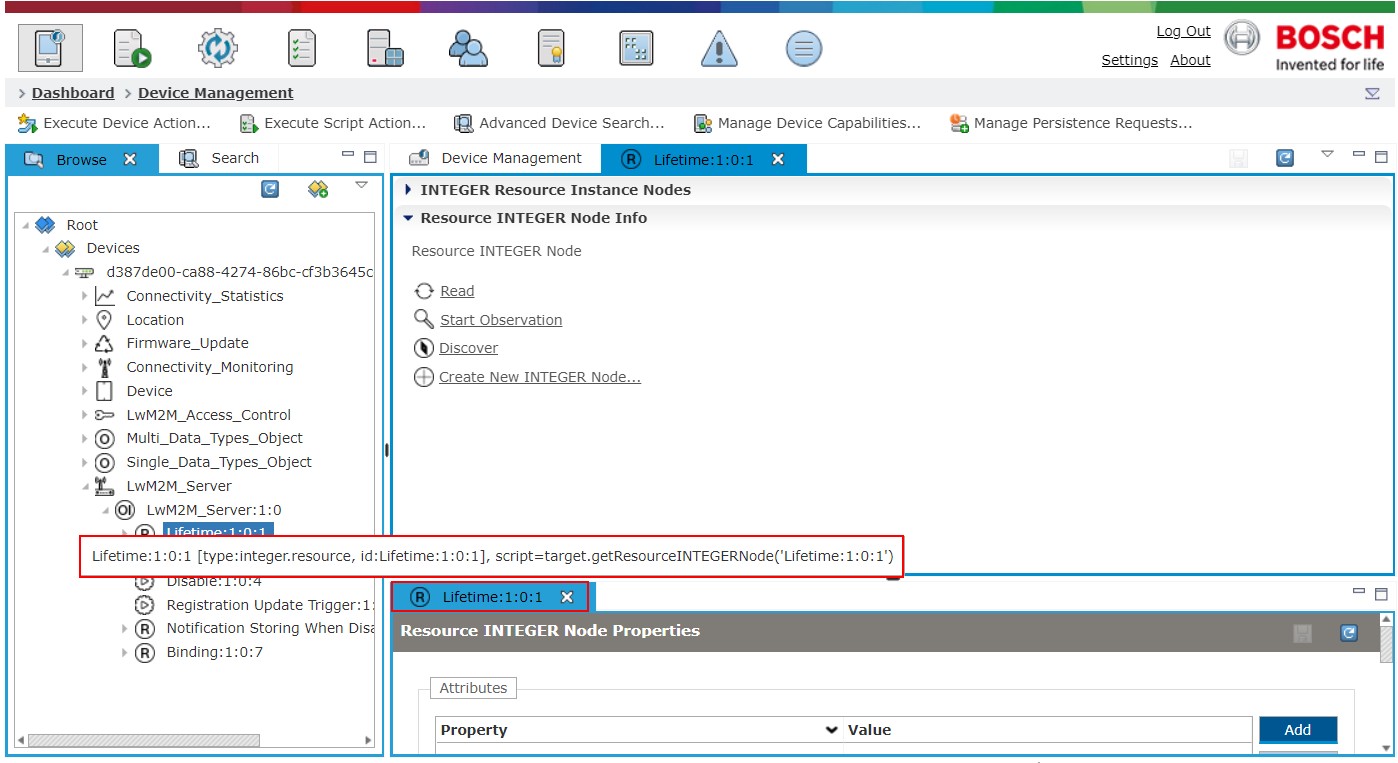
getControlUnit(cuType, cuId) gets a component Control Unit under the device root.
You can also get the Control Unit with the script by selecting the node from the tree and hovering over the tab of its pop-up, as shown in the screenshot.
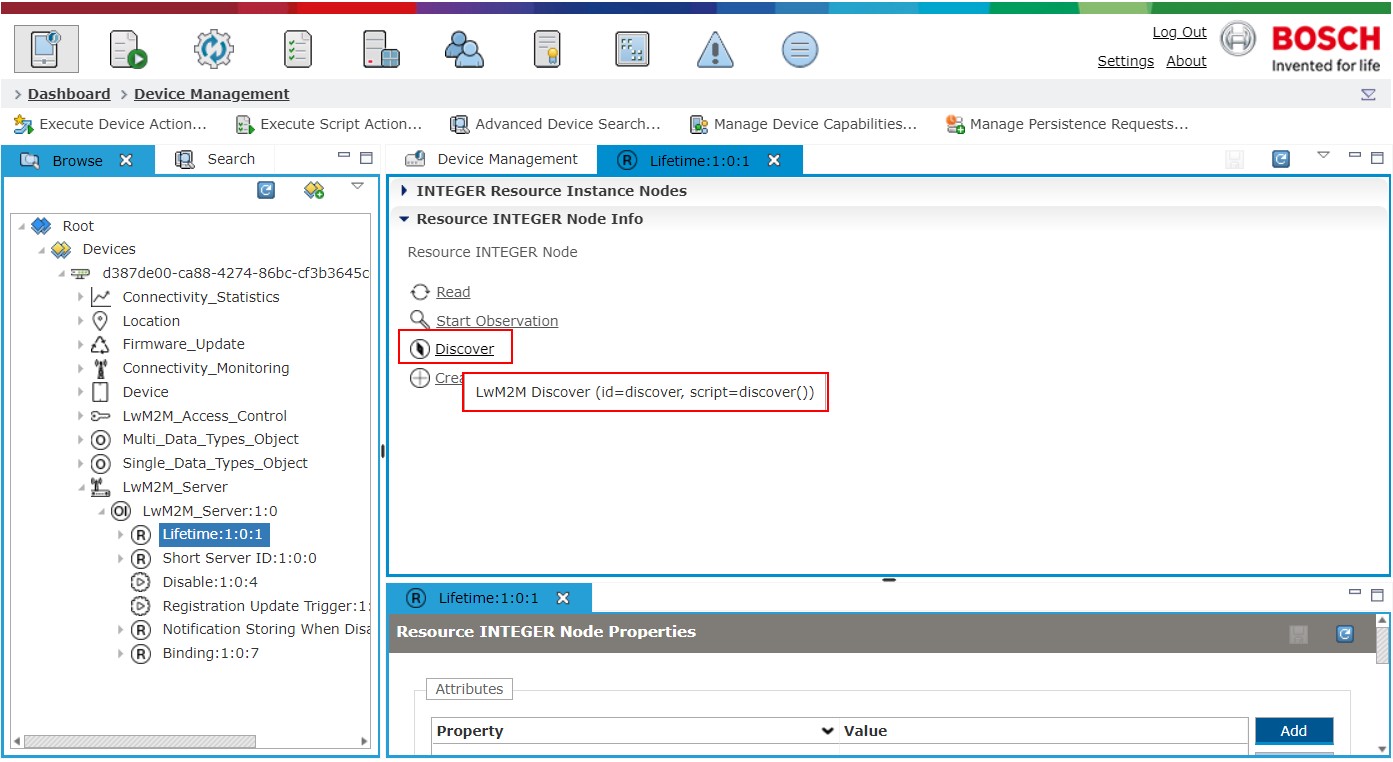
On that Control Unit you can invoke an action, which can be found from the pop-up of the Control Unit in the Management Console.
To see the script of the action, hover over it:
For more information about the script services, check the OSGi DM Script doc.