Overview
The Remote RSA module uses a role-based permission system to control who can view and manage remote access codes. Permissions are scoped to the device tree hierarchy, meaning users can be granted access to specific gateways, or the entire tree.
Bootstrapping a new user
In order to grant a regular user RSA-View or RSA-Manager permissions through the Web Console, the following steps are required:
- First, navigate to the Device Management perspective while logged in with your admin user and press right click on the directory or gateway you would like to give access to:
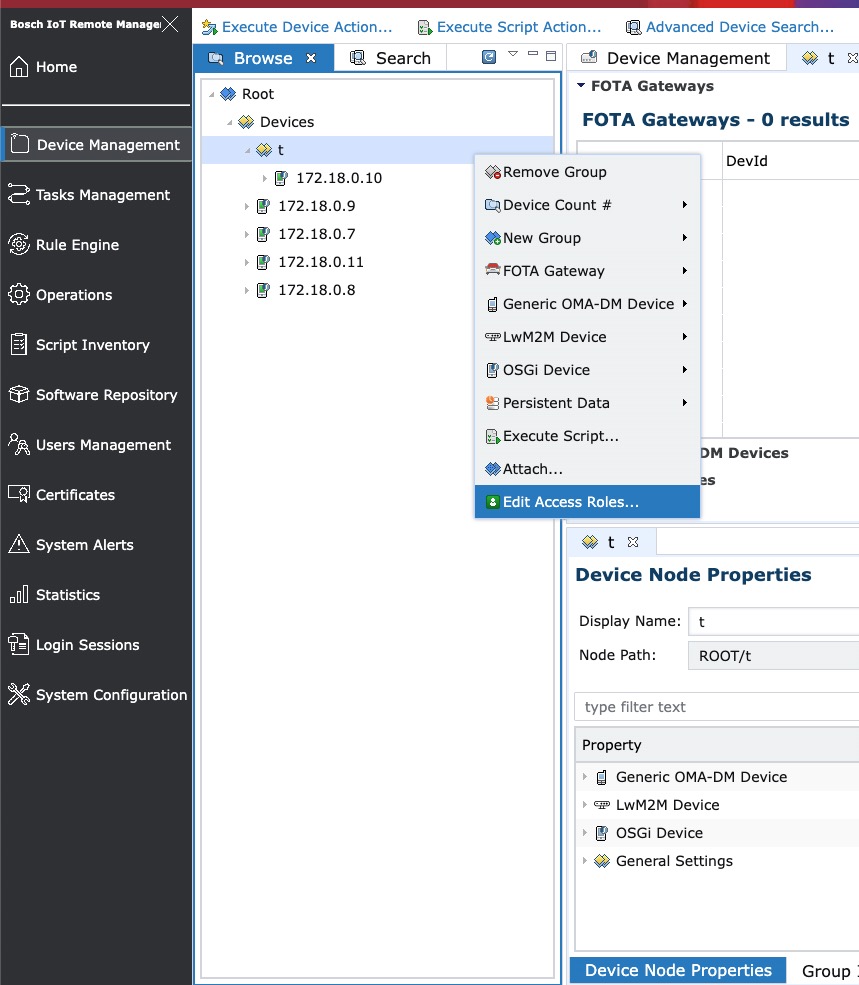
- Click on the Edit Access Roles dialog and a pop-up dialog will appear:
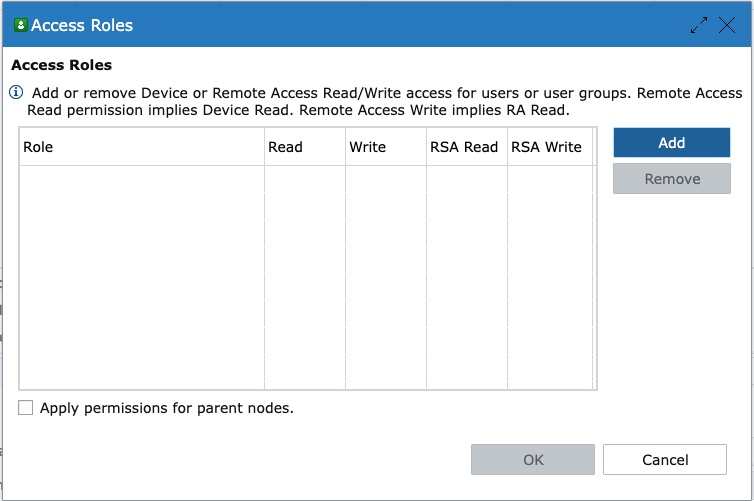
- From here, click the Add button and a new pop-up dialog shall appear from which you can search for your user or user group's name:
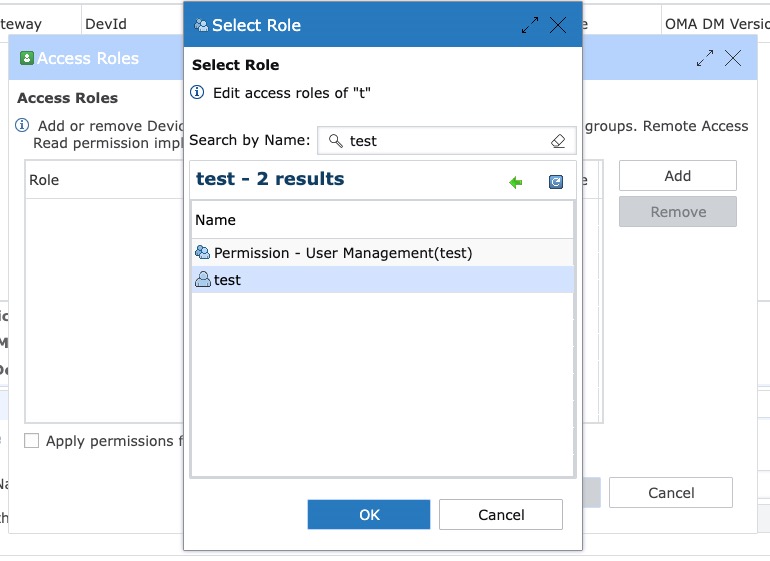
- After finding your user, click Ok and a new entry will appear in the Access Roles table:
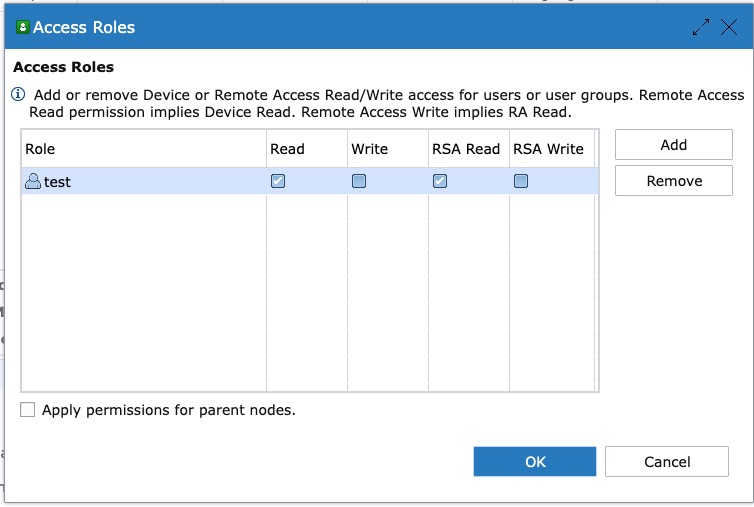
- In this dialog you can choose between Device Read/Write and RSA Read/Write permissions for the given user/user groups. It is important that you click the 'Apply permissions for parent nodes' checkbox in case you are giving fresh Device-View rights to this user for the given directory or gateway, otherwise the user will not see the gateway in the tree of the Device Management perspective:
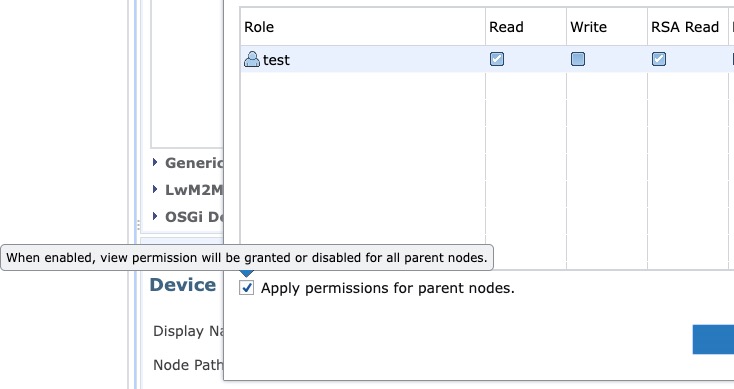
- After this, click Ok and navigate to the User Management perspective to make sure your user now has the correct access roles:
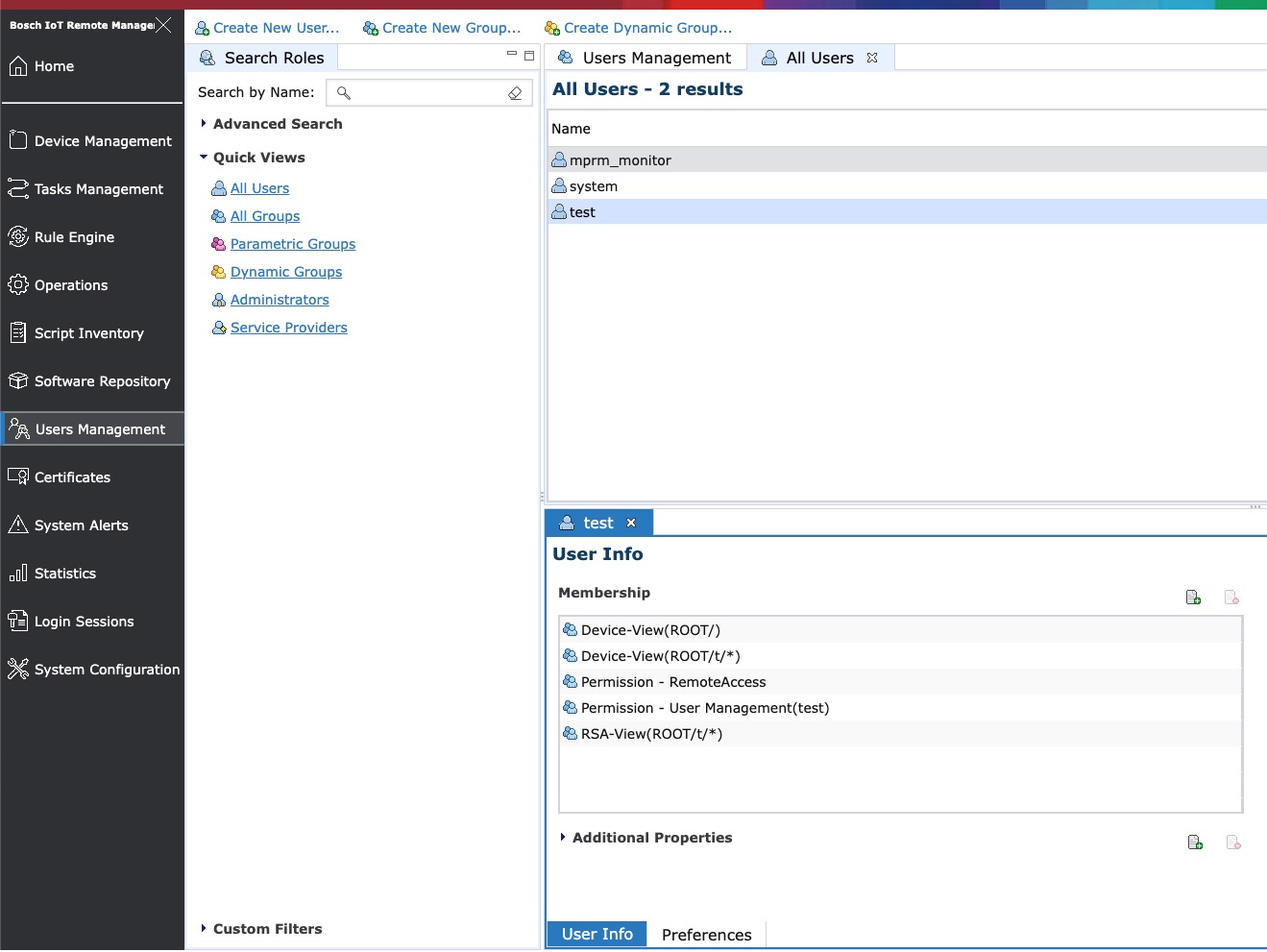
RSA-View permission
In case you have granted a user RSA Read permissions through the Access Roles dialog, they will be able to view Remote Access entries in the RSA perspective only for the permitted gateway(s) or group(s).
For example, if you have enabled remote access to multiple gateways in your system:
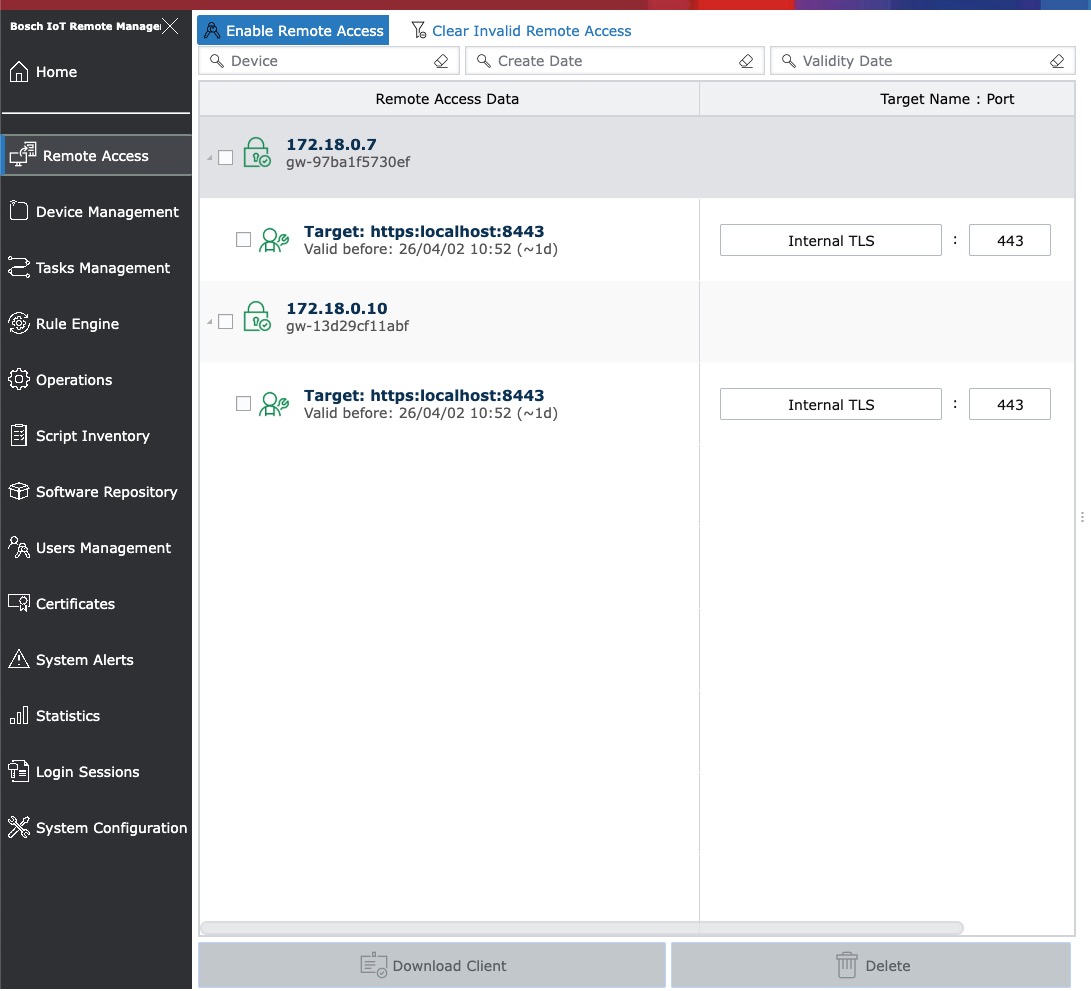
But your new user only has view rights for one gateway or group, they will be able to see only the targets you've granted them access to:
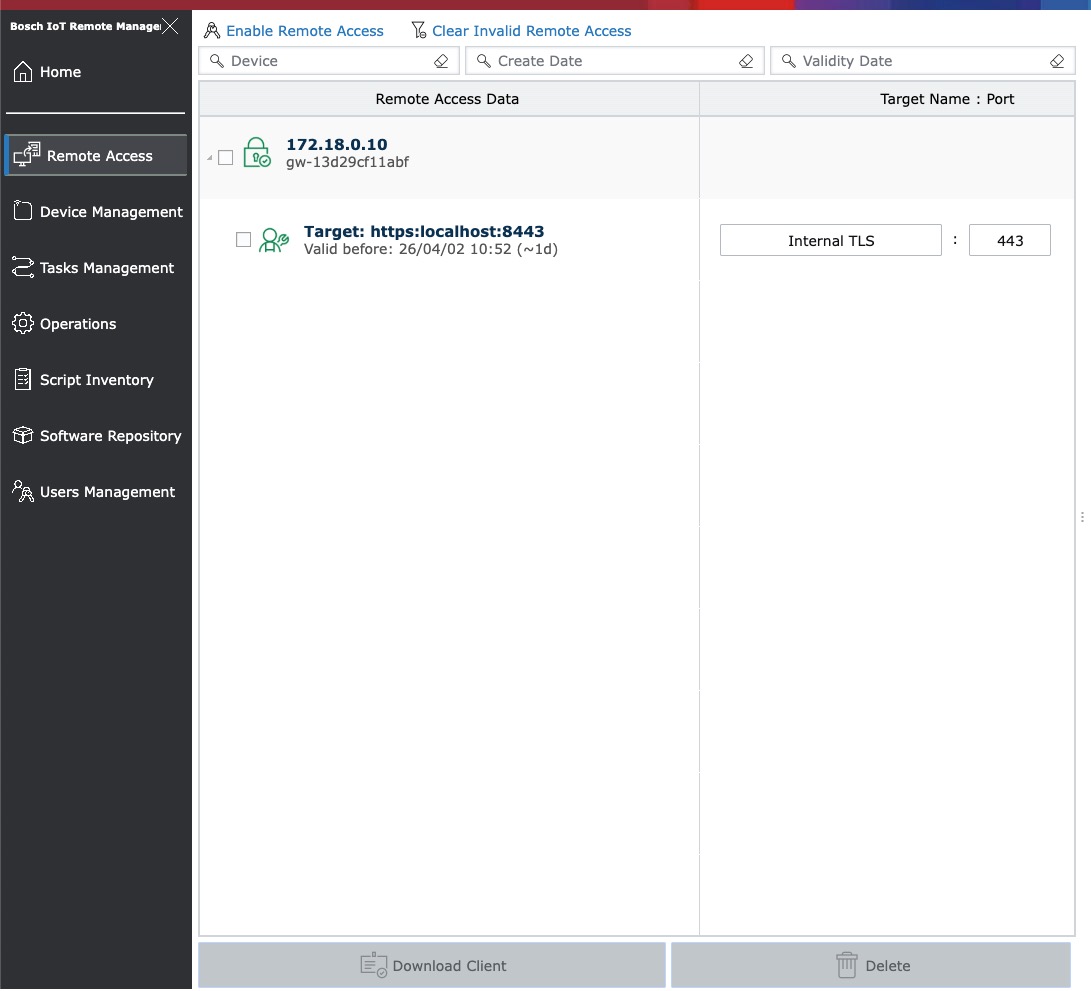
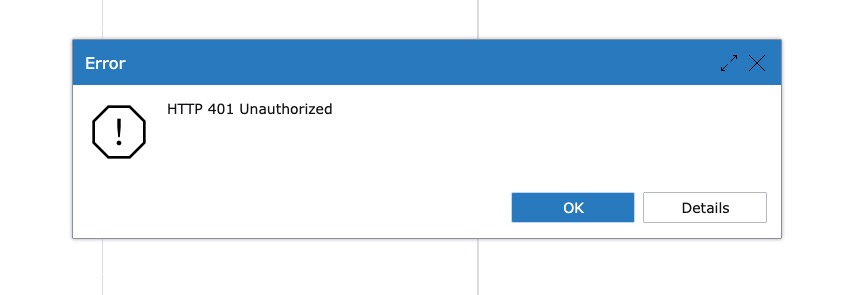
They will not be able to enable new remote access or delete existing ones, as trying both of these operations returns an error:
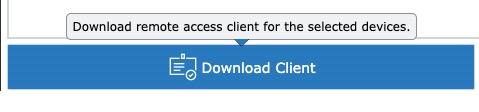
And they will be able to download the Tunnel Client for selected devices:
RSA-Manager Permission
In case you have granted a user RSA Manager permissions through the Access Roles dialog, they will be able to view, create and delete Remote Access entries in the RSA perspective only for the permitted gateway(s) or group(s).
Troubleshooting
Symptom | Likely cause | Resolution |
|---|---|---|
HTTP 401 on any RSA endpoint | User lacks the required RSA-View or RSA-Manager permission for the target gateway's scope | Verify the user's role assignments and ensure the scope covers the target gateway path |
Empty results when listing data | User has scoped access and the query includes gateways outside their scope | This is expected, results are filtered based on permissions. Check the user's permission and make sure the node path is correct. |