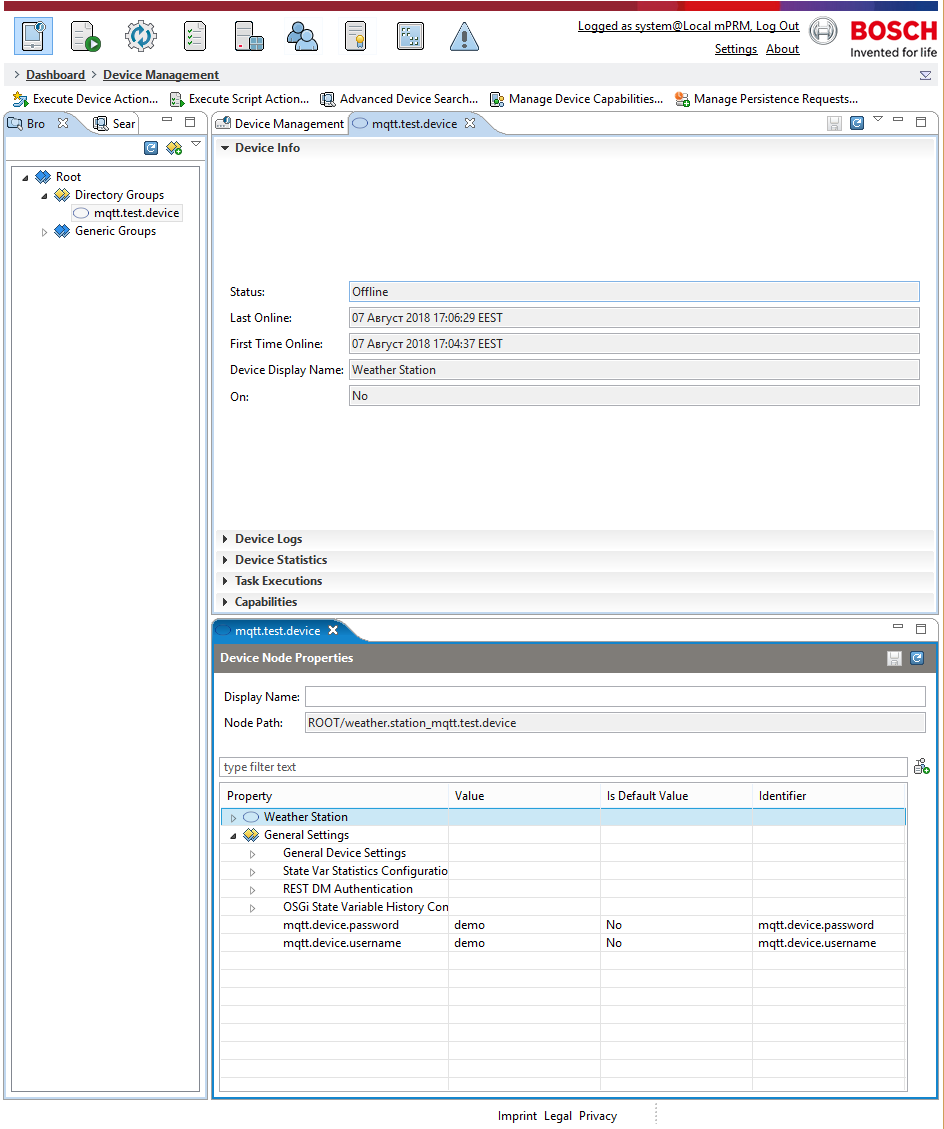
In order to manage a MQTT device through the RM, the device should be manually registered, then credentials should be preset and finally a successful login procedure should be completed (see the Login page).
As well as the basic authentication (via username and password) described above, the system also provides the ability to implement custom authentication logic, depending on the clients' needs. For more information you can contact our support.
1. Before registering and managing a device the metadata for this device must be imported by a REST call. The metadata follows the Control Unit Metatyping pattern. Example for such Control Unit Metatype and REST call can be found in the Example for Metadata section of the Metadata page. This step is absolutely mandatory for any device management!
2. Navigate to the Dashboard and click on Device Management.

3. Navigate to the Directory Groups tab.

4. Right-click on the Device Groups tab and manually register the device.

5. A window with the device information appears. Create a new property.
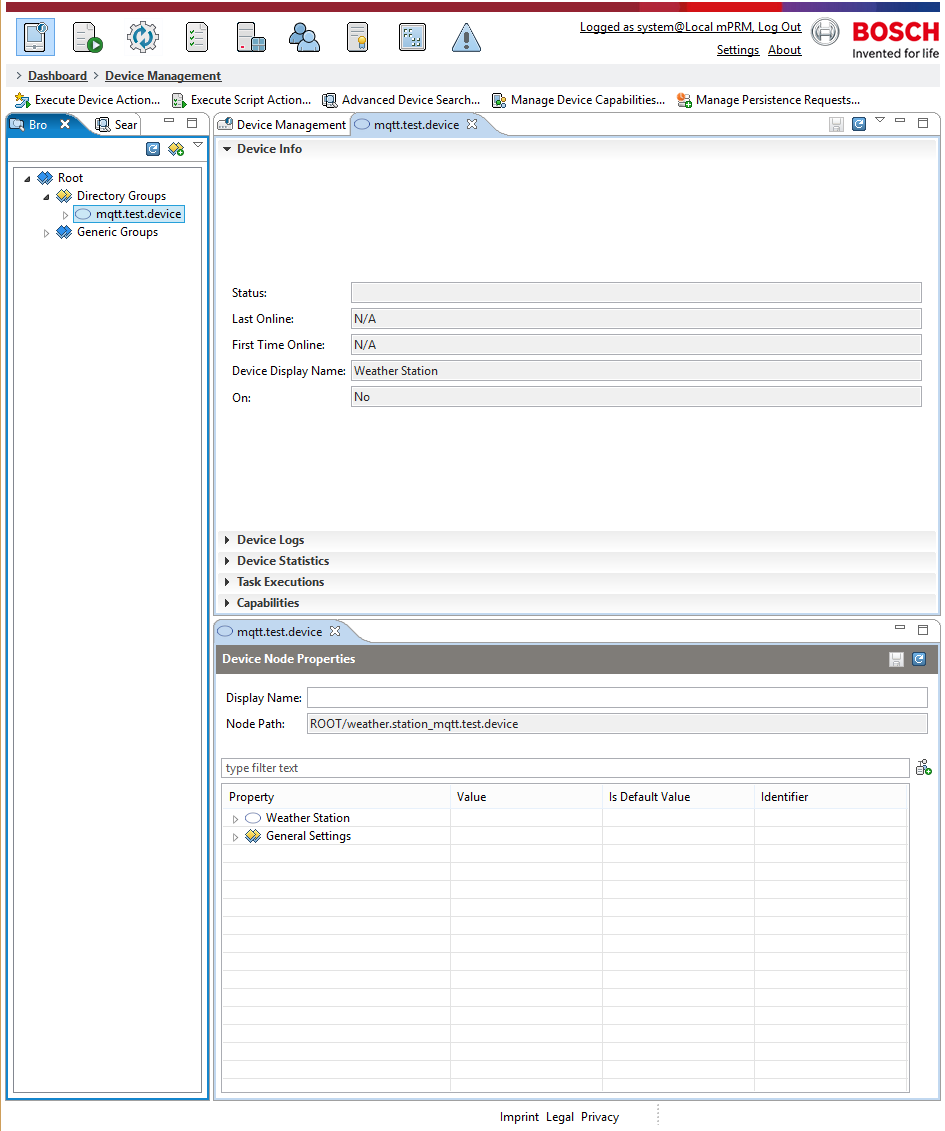
6. Create a property for the Username by clicking on the Add New Property icon  .
.

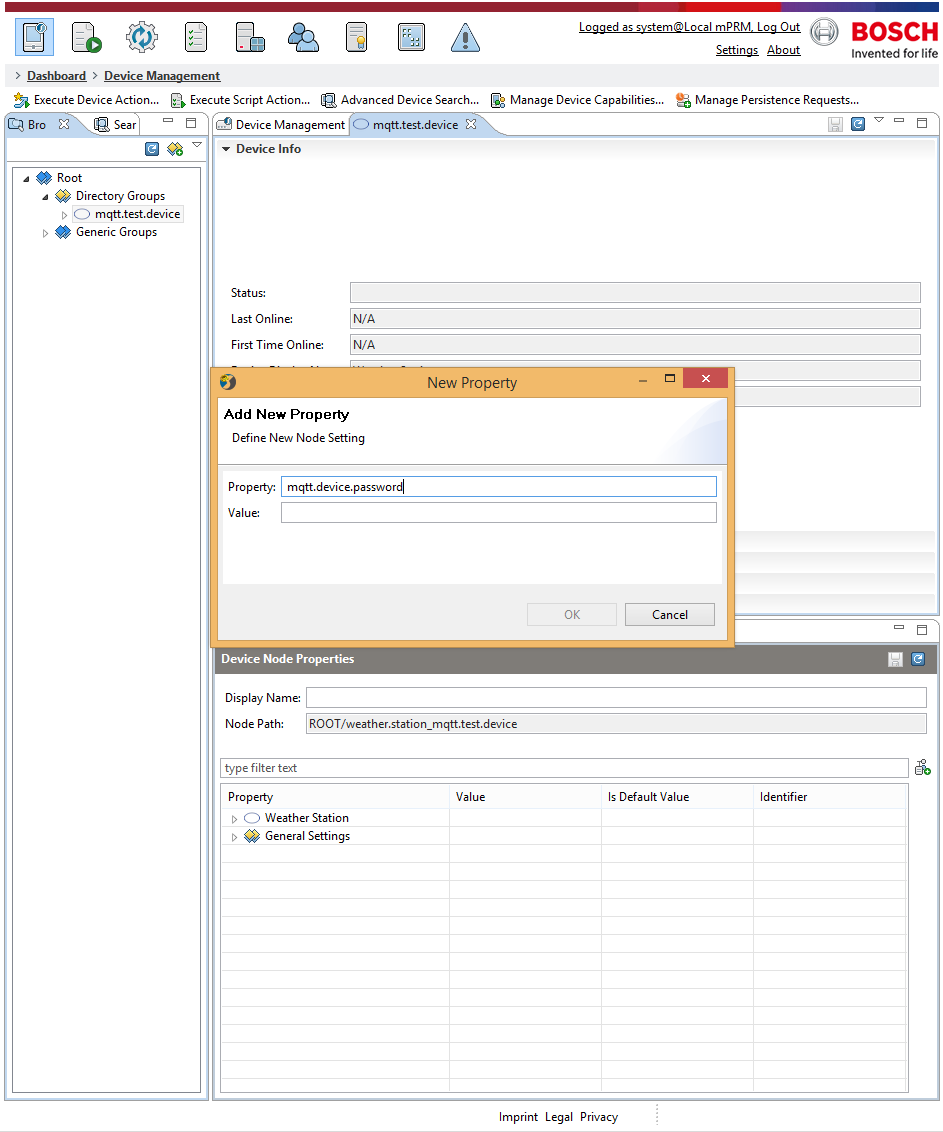
7. Create a property for the password.
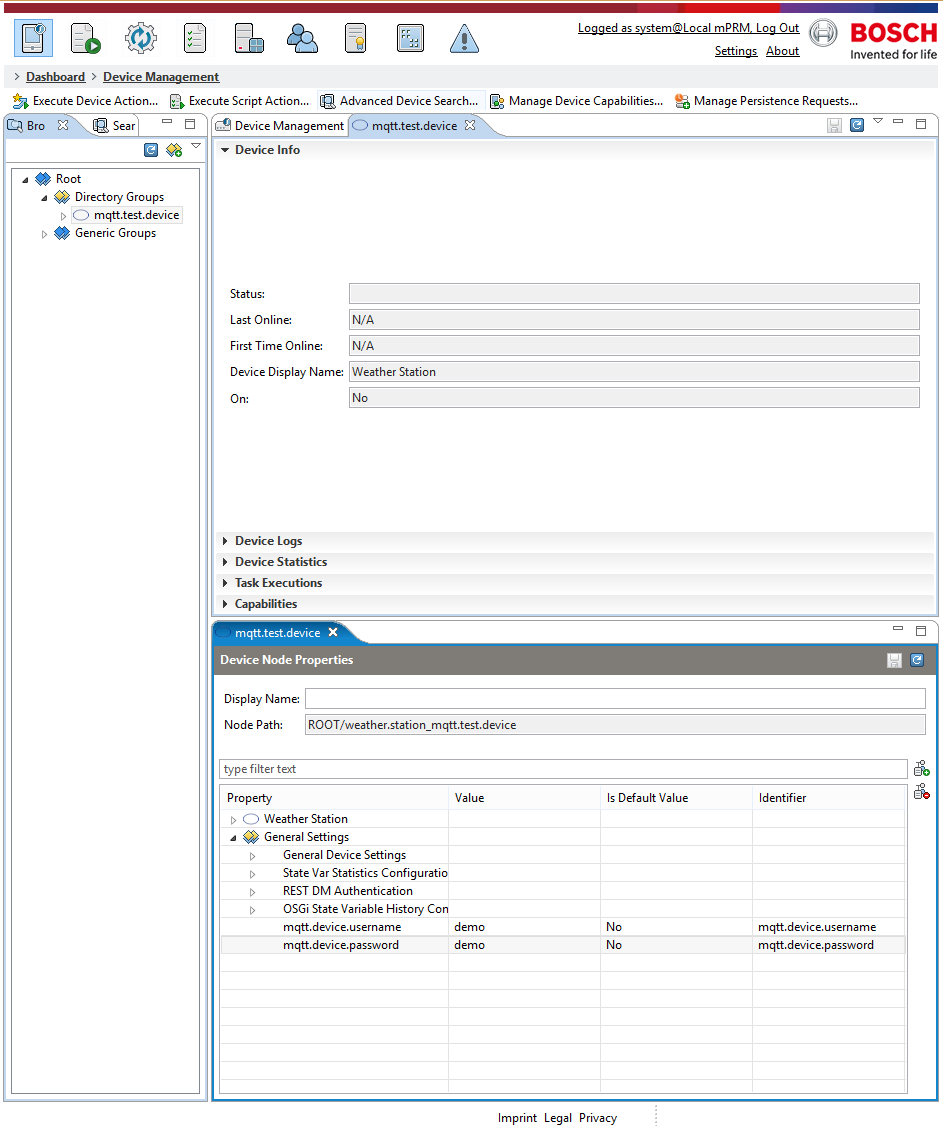
8. The new properties can be seen in the Device Node Properties window.
9. When logged in, a new property named token can be seen.
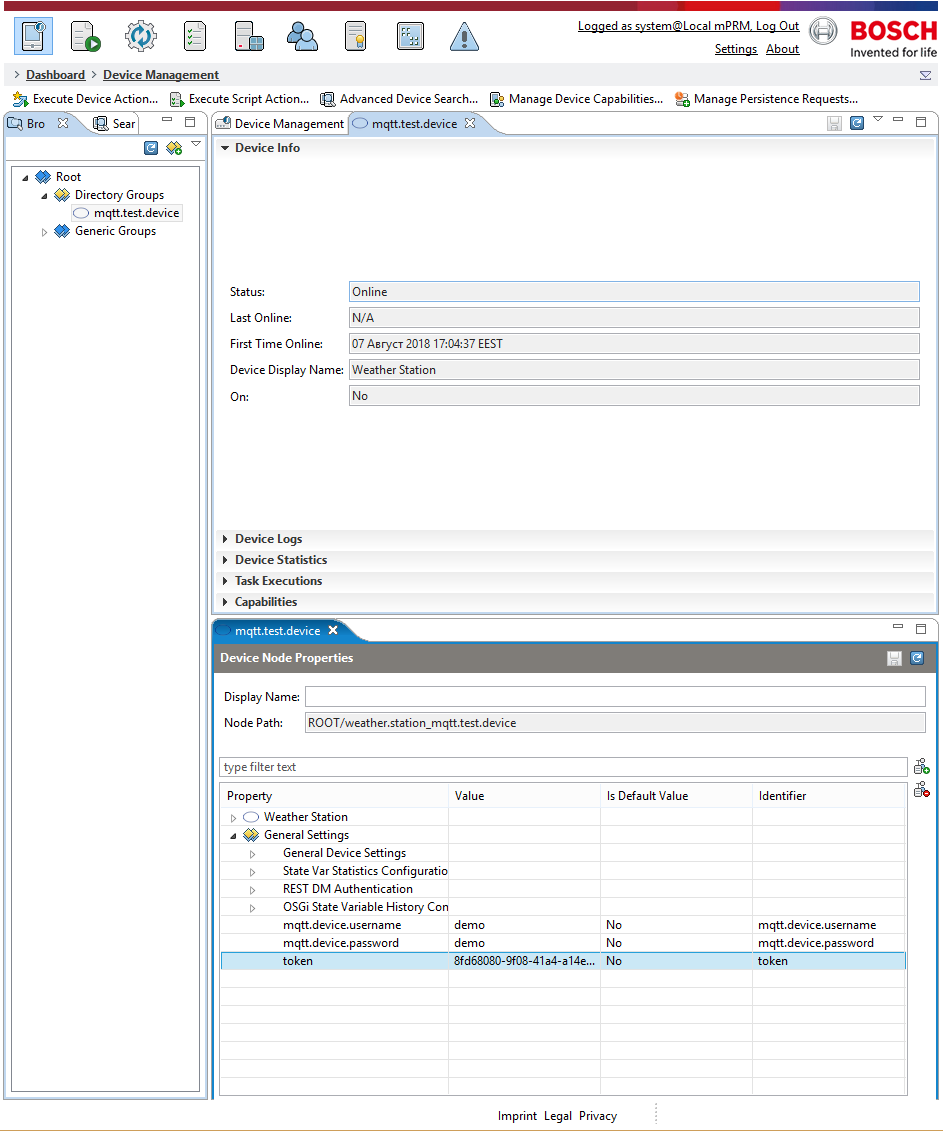
10. When logged out, the token property disappears.