In order to configure the MQTT Runtime, the following steps must be followed:
1. Navigate to the dashboard and click on the System Configuration tab.
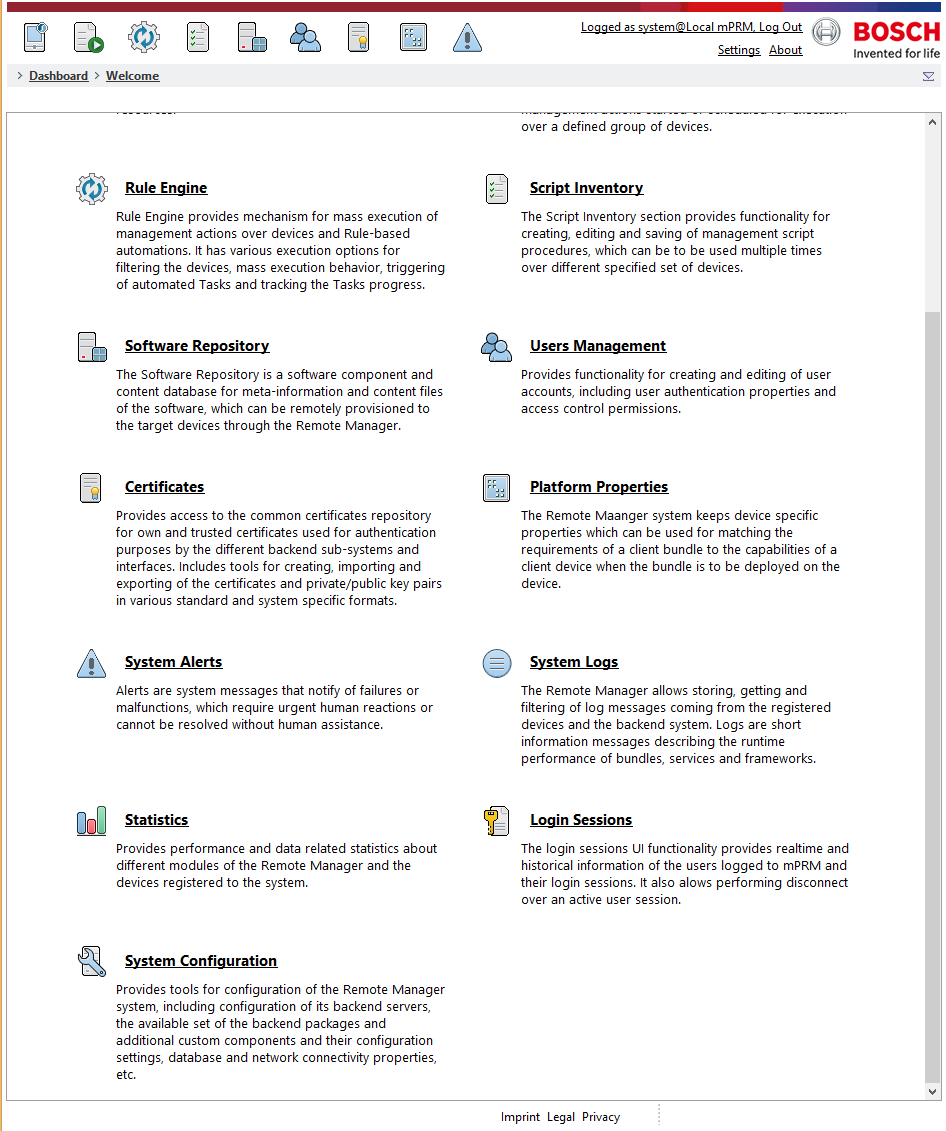
2. Click on the Configurations tab.
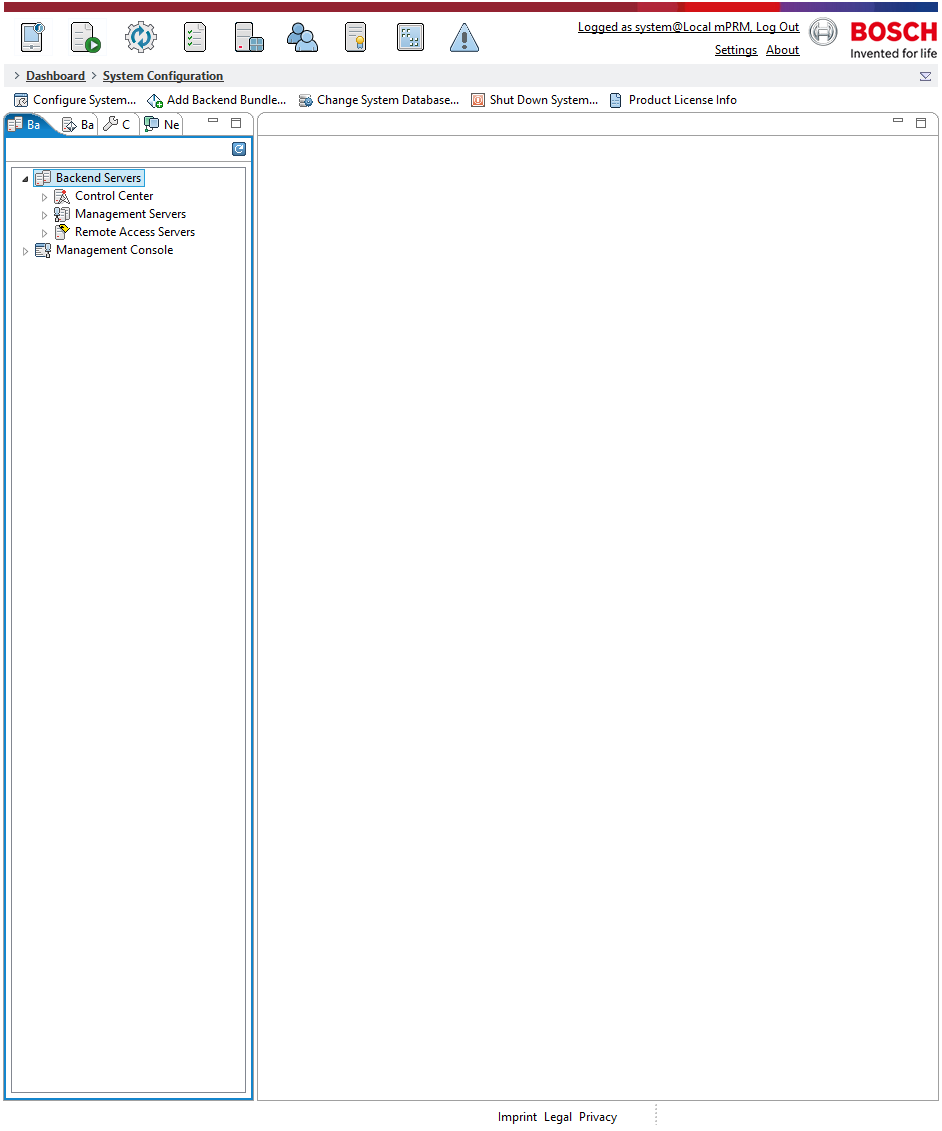
3. Once you expand the configurations tab, locate the MQTT Configuration field.
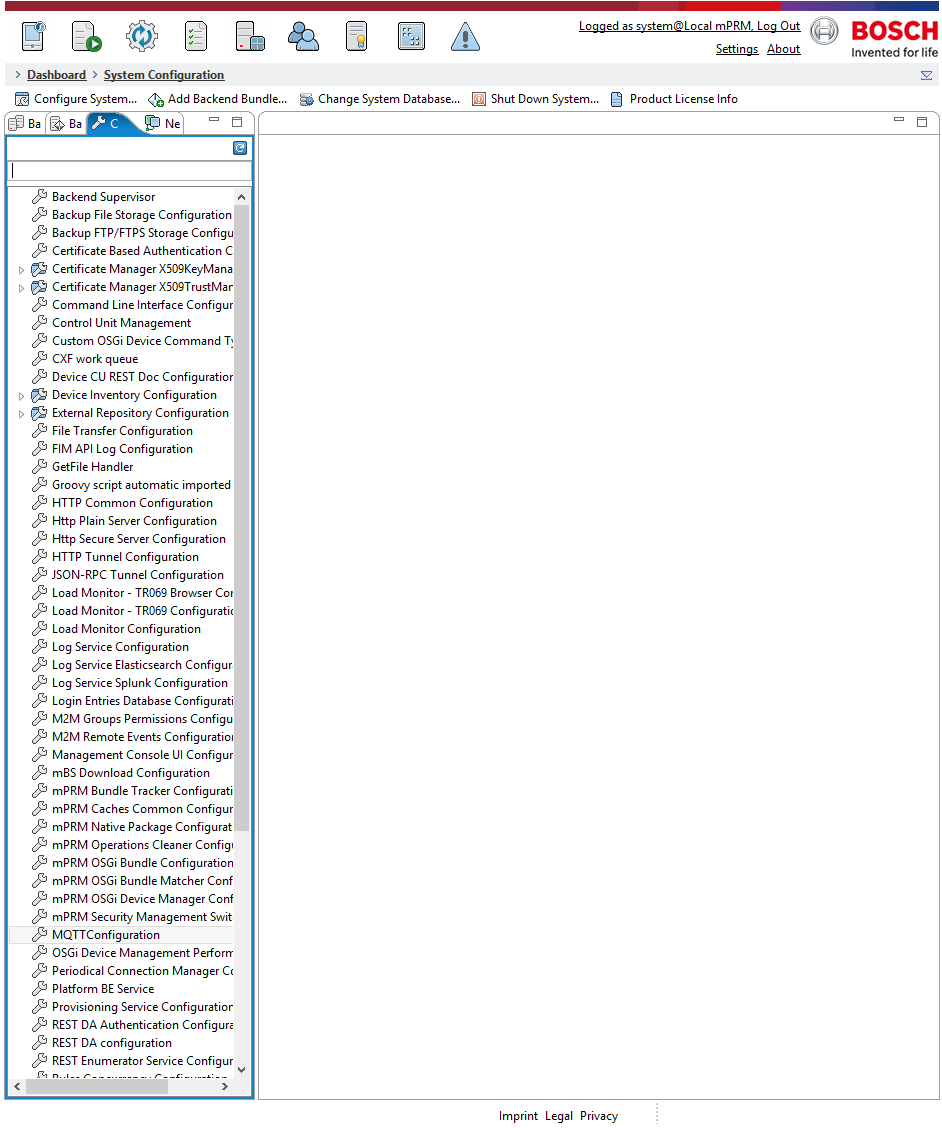
4. Clicking the MQTT Configurations field brings up the configurations' settings.
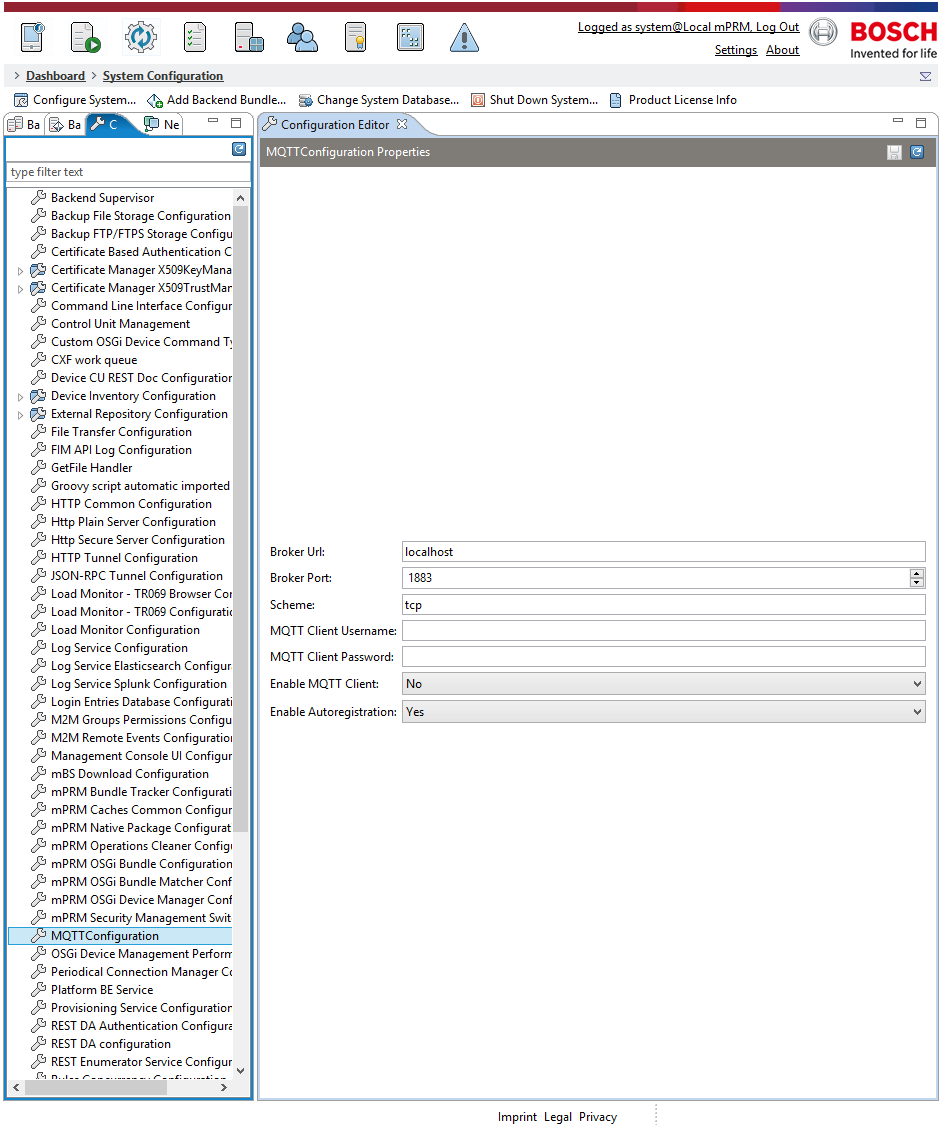
5. The field in the settings should be filled as follows:
Broker Url - must contain the broker ip address or hostname
Broker Port - must contain the currently open port
Scheme - must be tcp
MQTT Client Username - can be used for broker connection and must contain valid credentials
MQTT Client Password - can be used for broker connection and must contain valid credentials
Enable MQTT Client - used for toggling the MQTT Device Adapter functionality
Enable Autoregistration - will work only with custom authentication logic - the default authentication mechanism requires pre-registered device - for more information see Registration and Authentication and Login