To enable the Edge MQTT Server Configuration go again to the "System Configuration" perspective from the top menu. Then in the "Configurations" tab, from the left panel search for "Edge MQTT", and a configuration with name "Edge MQTT Server Configuration" will show up.
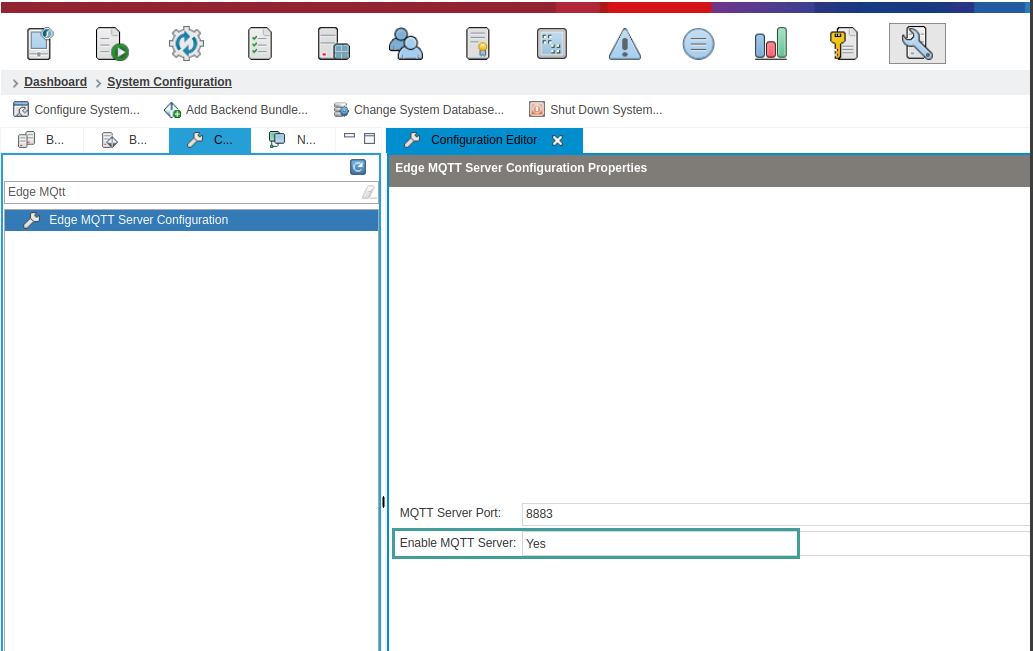
In it, change the value of Enable MQTT Server to Yes and click the Save icon, or Ctrl + S.
After this you should be able to communicate with Edge securely.