Creating Event Forwarding Configurations via Remote Manager's Console
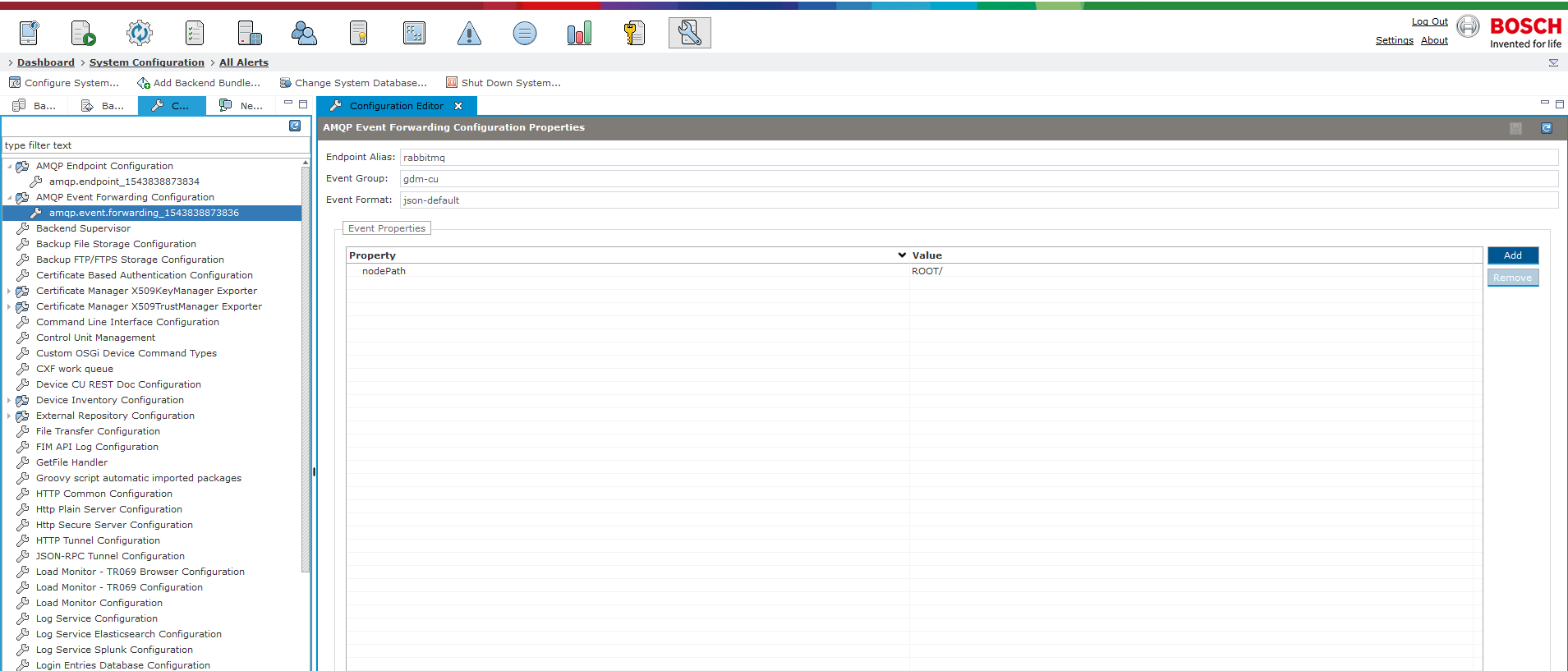
Create an AMQP event forwarding configuration by using the following property values:
endpoint alias: rabbitmq (activemq for 1.0.0 AMQP version)
event group: gdm-cu
event format: json-default
• nodePath: ROOT/
Creating Event Forwarding Configurations via RESTful API client
Create AMQP endpoint configuration via the Management Console (as described above).
Apply the following setting to your RESTful API client:
uri: <rm host>:<rm-port>/rs/amqp/events/configureBe aware that if event format is missing the default one will be assigned:
headers: Authorization: Basic ...; Content-Type: application/jsonAs we are registering a Control Unit listener(gdm-cu) we need to POST the following JSON Map to localhost:8080/rs/amqp/events/configure. All needed properties are to be found in the javadoc of the specific package.
{"endpoint.alias":"rabbitmq","event.group":"gdm-cu","event.format":"json-default","event.properties": {"nodePath":"ROOT/","cuListenerProps": {"event.broadcast.filter":"event.cluster.unicast.listener","event.listener.name":"examplename"}}}The Response (201 status) is presented in JSON format and will include properties for the newly configured event forwarding, including PID of the configuration as in the example bellow:
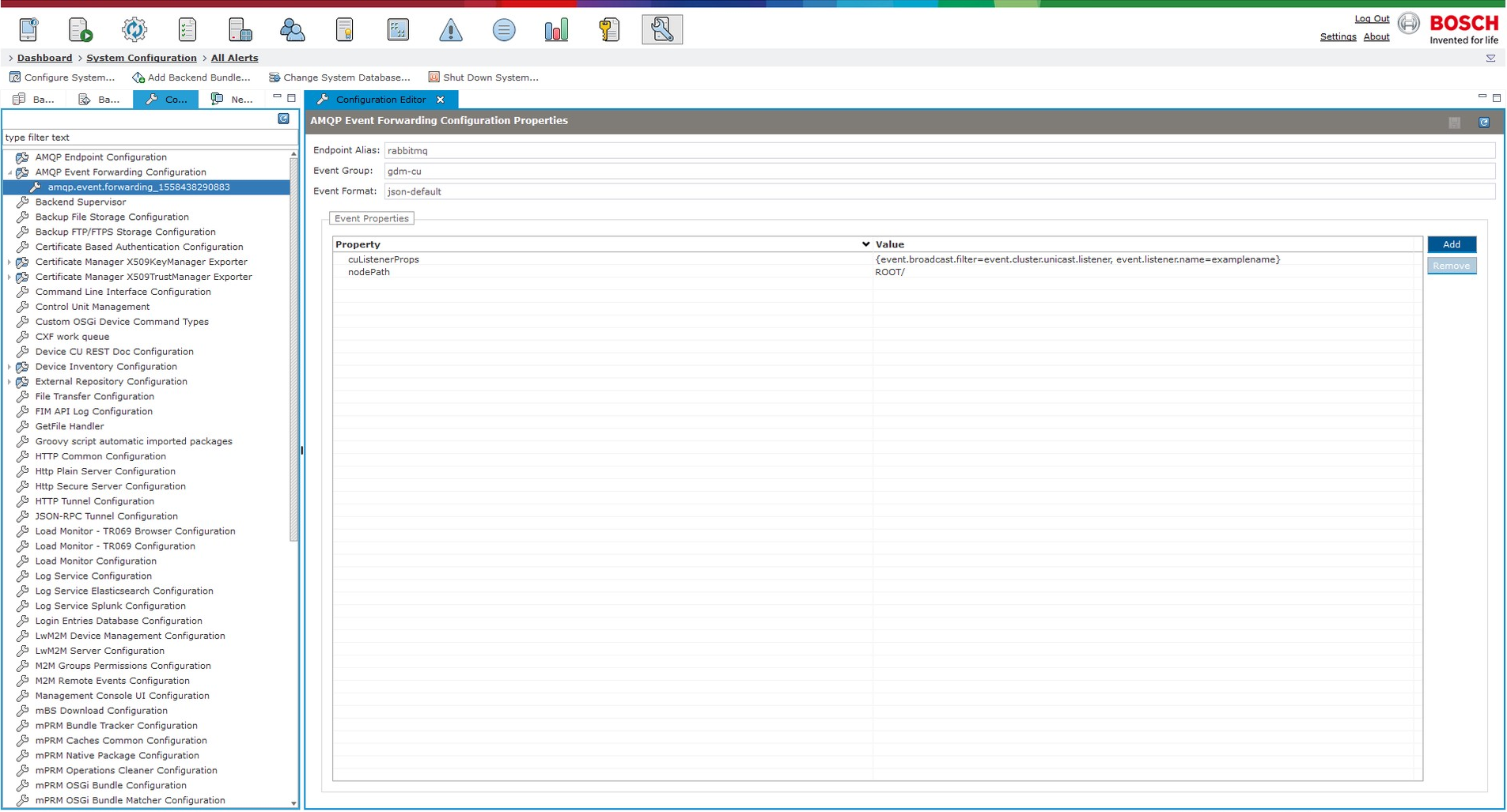
{"pid":"amqp.event.forwarding_1543838873839","endpointAlias":"rabbitmq","eventGroup":"gdm-cu","eventFormat":"json-default","eventProperties": {"cuListenerProps": {"event.broadcast.filter":"event.cluster.unicast.listener""event.listener.name":"examplename",},"nodePath":"ROOT/"},"configurationOwner":"test"}The new configuration will appear in the Remote Manager console as well:
Once an event occurs it will be visible from the broker. In the example bellow "Test OSGi Device" has been unregistered from Remote Manager:
{"eventType":2,"controlUnitType":"mprm.osgi.device","controlUnitId":"Test OSGi Device","deviceType":"mprm.osgi.device","deviceId":"Test OSGi Device","eventInfo": {"eventType":2,"cuInfo": {"firstInsert":false,"stateInfo": {"stateMode":false},"abstract":false,"controlUnitID": {"controlUnitType":"mprm.osgi.device","controlUnitId":"Test OSGi Device","deviceType":"mprm.osgi.device","deviceId":"Test OSGi Device","syncObject":"mprm.osgi.deviceTest OSGi Devicemprm.osgi.deviceTest OSGi Device"},"component":false},"timestamp":0}}
Other supported REST calls:
GET localhost:8080/rs/amqp/events/configurations?endpoint.alias=rabbitmq&event.group=gdm-cu
returns status 200 and an example JSON response of:
[ { "pid": "amqp.event.forwarding_1543838873838", "endpointAlias": "rabbitmq", "eventGroup": "gdm-cu", "eventFormat": "json-default", "eventProperties": {}, "configurationOwner": "test" }, { "pid": "amqp.event.forwarding_1543838873839", "endpointAlias": "rabbitmq", "eventGroup": "gdm-cu", "eventFormat": "json-default", "eventProperties": { "cuListenerProps": { "event.listener.name": "examplename", "event.broadcast.filter": "event.cluster.unicast.listener" }, "nodePath": "ROOT/" }, "configurationOwner": "test" }]GET localhost:8080/rs/amqp/events/configurations/amqp.event.forwarding_1543838873839
returns status 200 and an example JSON response of:
{ "pid": "amqp.event.forwarding_1543838873839", "endpointAlias": "rabbitmq", "eventGroup": "gdm-cu", "eventFormat": "json-default", "eventProperties": { "cuListenerProps": { "event.listener.name": "examplename", "event.broadcast.filter": "event.cluster.unicast.listener" }, "nodePath": "ROOT/" }, "configurationOwner": "test"}DELETE localhost:8080/rs/amqp/events/configurations/amqp.event.forwarding_1543838873839
returns status 204.