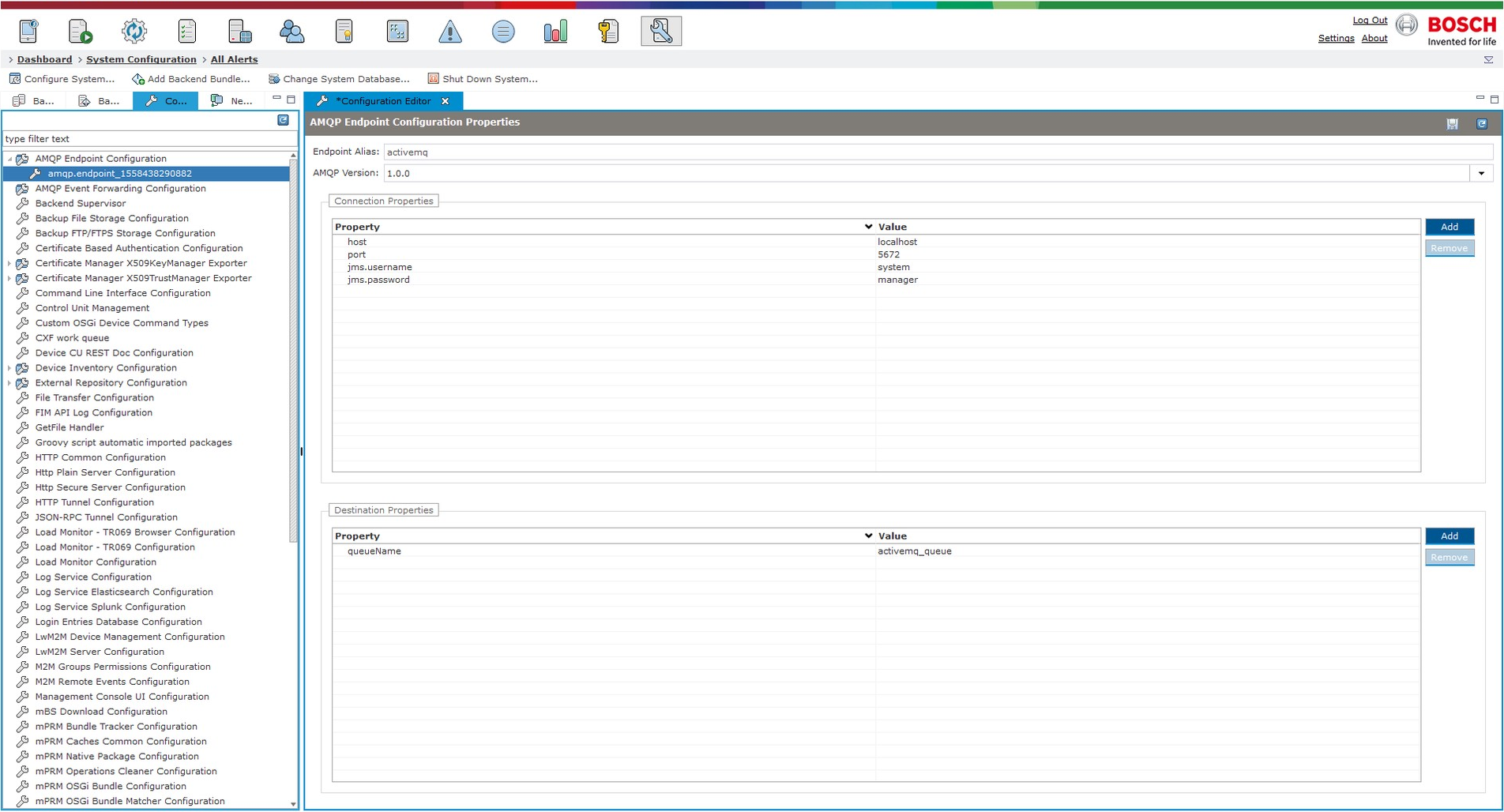
Property values are different depending on the AMQP version.
Login to the Web Console, go to system configuration/configurations tab, find the AMQP Endpoint Configuration option and right-click on it:
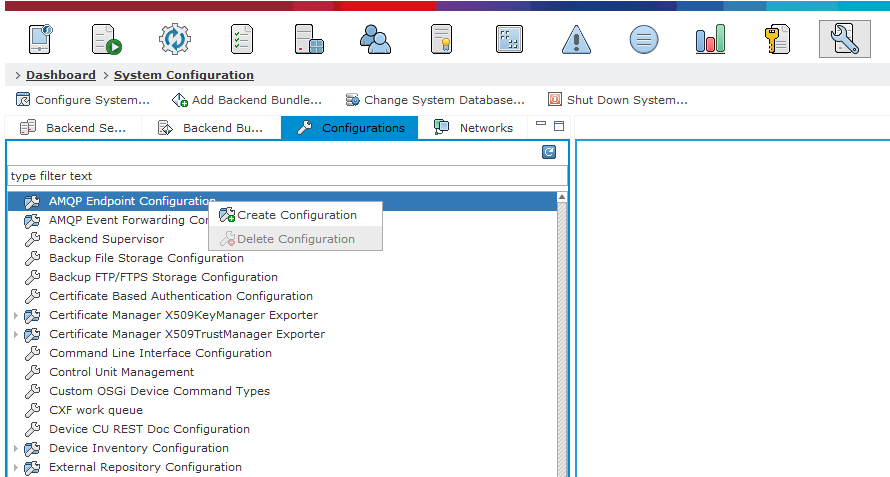
Create an AMQP endpoint configuration, entering the following properties:
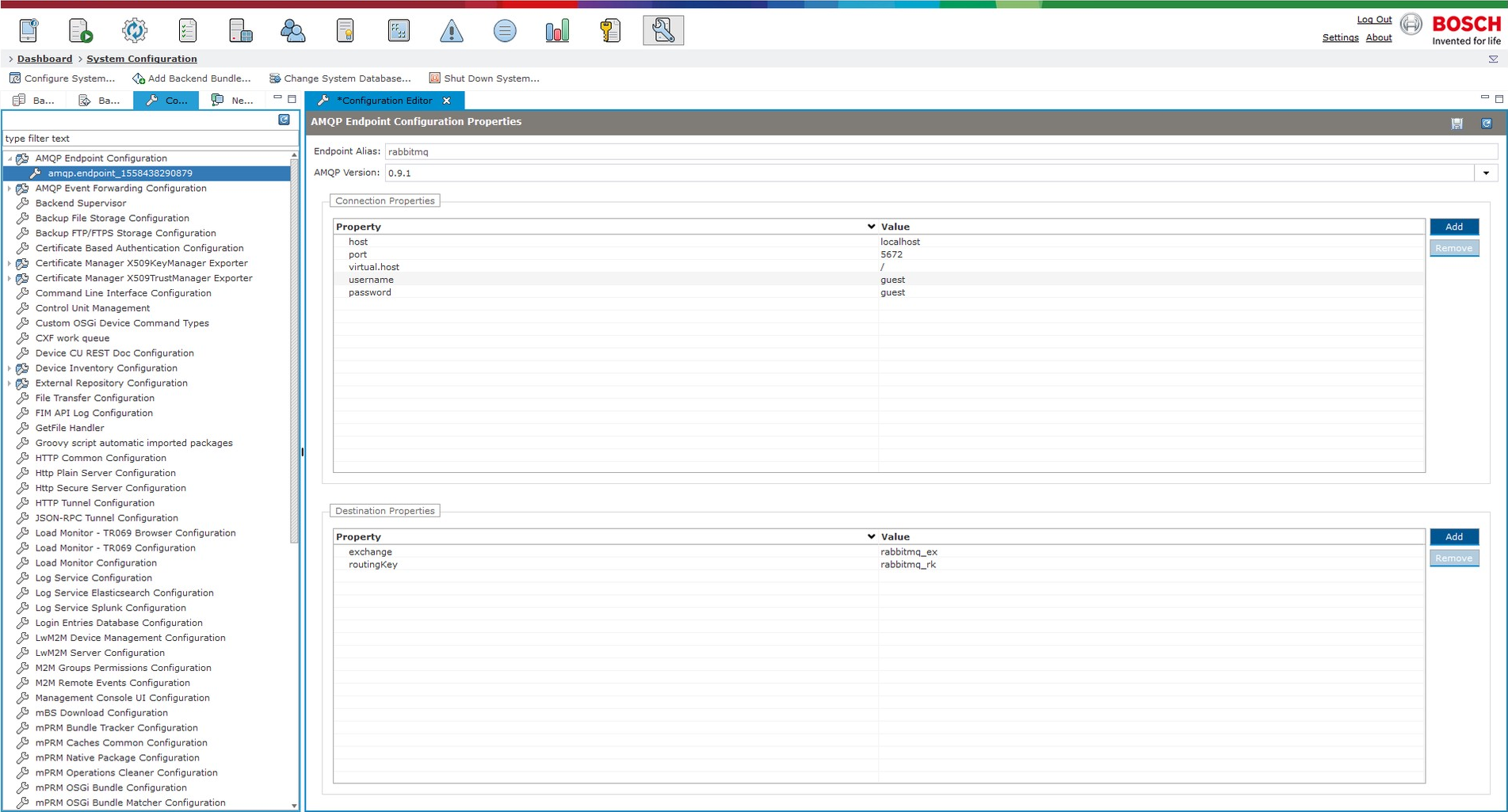
AMQP 0.9.1
endpoint alias: rabbitmq
AMQP version: 0.9.1
• host: localhost
• port: 5672
• virtual.host: /
• username: guest
• password: guest
• exchange: rabbitmq_ex
• routingKey: rabbitmq_rk
AMQP 1.0.0
endpoint alias: activemq
AMQP version: 1.0.0
• host: localhost
• port: 5672
• jms.username: system
• jms.password: manager
• queueName: activemq_queue