Upon startup, the Object models in Remote Manager will be loaded from initial_config dir/componentcu in the format defined by OMA Specworks. For scalability purposes, it is optimal to have only models that are actually used.
LwM2M Server Configuration
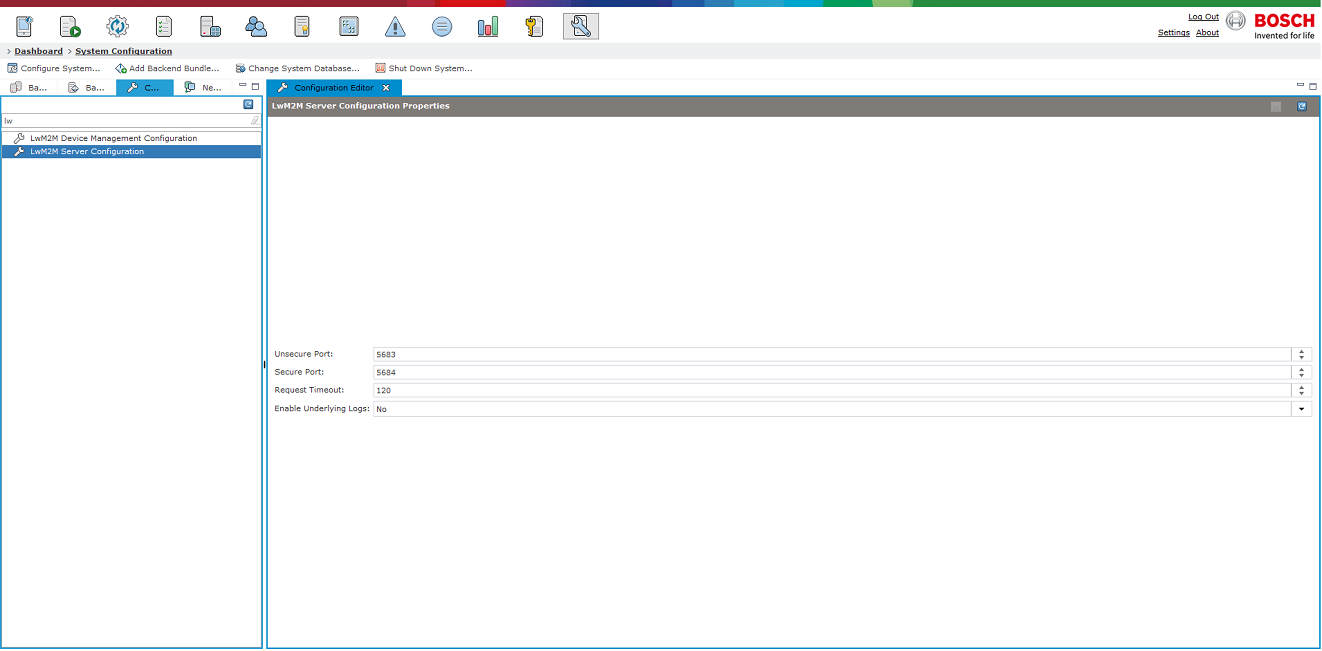
In the Management Console of Remote Manager, System Configuration Section, there is a menu showing the general properties of the LwM2M server which can be modified. In particular, there can be set the Secure and Unsecure Ports that will be used, as well as the Request Timeout from server to device. The default values for these properties, which are the CoAP constants, are presented in the screenshot below. To access this menu, go to the Configurations tab of the abovementioned section and select LwM2M Server Configuration from the list or type it in the search bar. Any connection to a LwM2M client device will consist of Remote Manager's IP, the Secure and the Unsecure port.
Logging Configurations
Remote Manager logs for LwM2M can be turned on by typing the property prm.debug.cat.LwM2M.*=true in the debug.prs file. After saving the debug.prs file, you either have to restart Remote Manager, or type debug.reinit in the framework console which will reload the debug.prs file.
Leshan and Californium logs are disabled by default. You can enable them by setting "Enable Underlying Logs" to true. This will load the logs configuration dynamically (no restart of RM will be needed). Naturally, if the config file does not hold any or holds incorrect information about the logs, they will not be turned on properly. The configuration is stored in the mserver dir\javalogging.properties file.
There you will find the following properties:
log4j.logger.org.eclipse.leshan=DEBUG, fw_console
log4j.logger.org.eclipse.californium=DEBUG, fw_console
The above means that the debug level is DEBUG, and there is one appender – fw_console, which has to be defined in the same file. For example:
log4j.appender.fw_console=org.apache.log4j.ConsoleAppender
log4j.appender.fw_console.layout=org.apache.log4j.PatternLayout
log4j.appender.fw_console.layout.ConversionPattern=%5p [%t] (%F:%L) - %m%n
More information about setting log4j through a properties file can be found here.
LwM2M Device Management Configuration
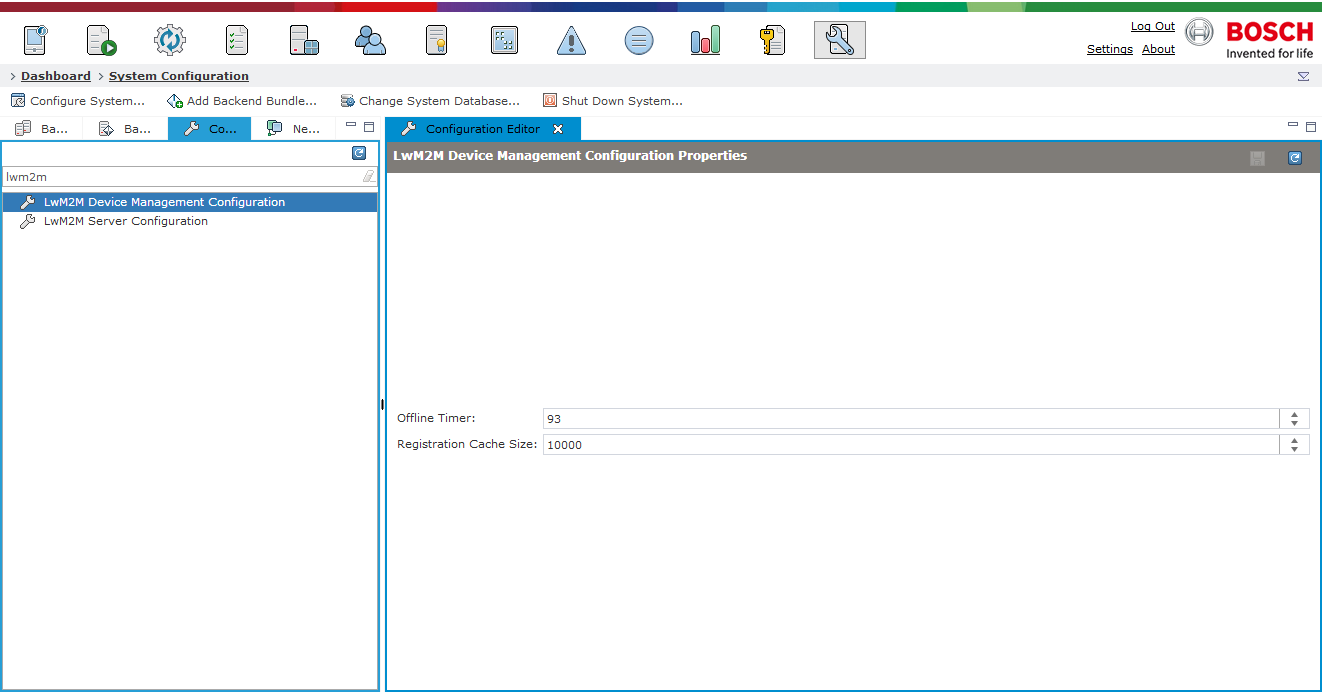
Remote Manager provides also a device management configuration menu as illustrated on the screenshot below. The two properties which can be configured there are Offline Timer and Registration Cache Size.
The Offline Timer field is aimed at LwM2M devices that operate in Queue Mode and Action Executions. In this field you can configure the period of time in seconds after which the device will return to SLEEPING mode.
The second field provides means for altering the Registration Cache Size. In the Leshan framework context the registration contains all device-related information.