There can be a long delay when executing an action, delivered by a script service. The desired behavior is not to wait, but to continue with the groovy code processing. For this purpose are used asynchronous methods. They returns immediately, without waiting for the result. Asynchronous method invocation doesn't block the calling thread while waiting for a reply. Instead, the calling thread is notified when the reply arrives.
An asynchronous method is created when an argument from type com.prosyst.mprm.backend.rules.spi.AsyncResult is added as last method argument. The script engine will automatically distinguish this method as asynchronous.
The Camera object must have methods to get and set the feature value (to change its settings). Let's assume we have the camera property value stored in a database. Then we can immediately get it. But if we want to change the camera settings, we have to connect to the camera and send change settings request. The camera then should change it and reply with a success message, if the operation was successful. It is NOT system efficient to wait for the camera response, because it's not clear how long the change will take. That's why we can make this method asynchronous.
Adding the new methods:
package com.prosyst.mprm.demos.rules;import com.prosyst.mprm.backend.rules.spi.AsyncResult;...public interface Camera extends ScriptSerializable { public String getId(); public double getFeatureValue(String name); // making the method asynchronous by adding last method argument from type AsyncResult public void setFeature(String name, double value, AsyncResult asyncResult);}package com.prosyst.mprm.demos.rules.impl;import java.io.DataOutputStream;...import com.prosyst.mprm.backend.rules.spi.AsyncResult;import com.prosyst.mprm.demos.rules.Camera;public class CameraImpl implements Camera { ... private String id; ... // the asynchronous method implementation public void setFeature(String name, double value, AsyncResult asyncResult) { try { // making connection with the camera Connection connection = Activator.getConnectionManager().getConnection(id); if (connection == null) { // if no connection, setting NotReadyToExecute as result asyncResult.notReadyToExecute(); return; } // creating and sending the message Message message = createSetFeatureMessage(connection, name, value, asyncResult); connection.send(message); } catch (Exception e) { asyncResult.error(e); } } private Message createSetFeatureMessage(Connection connection, String name, double value, AsyncResult asyncResult) throws IOException { // getting the asynchronous result id String resultId = asyncResult.getId(); Message message = connection.createMessage(SET_CAMERA_FEATURE_MSG, false); DataOutputStream outStr = message.getOutput(); outStr.writeUTF(name); outStr.writeDouble(value); // writing the result id in the message outStr.writeUTF(resultId); return message; } ...}The asynchronous method result is not applied by а return statement, but it is set to the AsyncResult argument by the AsyncResult methods, when the result appears:
- success(Object result)
- warning(String warning)
- error(Throwable error)
- notReadyToExecute()
In our case the async result is set when the camera response message is received from the script service:
package com.prosyst.mprm.demos.rules.impl;public class CameraManagerImpl implements CameraManager { ... public static final String CAMERA_RESPONSE_MSG = "set.camera.feature.response"; public static final String NOT_SUPPORTED_STATUS = "NOT_SUPPORTED"; public static final String SUCCESS_STATUS = "SUCCESS"; ...public void processMessage(Connection connection, Message message, Packet response) { ... DataInputStream in = message.getInput(); if (CAMERA_RESPONSE_MSG.equals(message.getType())) { try { String status = in.readUTF(); String featureName = in.readUTF(); double featureValue = in.readDouble(); // reading the async result id from the message String resultId = in.readUTF(); ... if (SUCCESS_STATUS.equals(status)) { // getting the async result from the script service and setting success getCallback().getAsyncResult(resultId).success(null); } else if (NOT_SUPPORTED_STATUS.equals(status)) { // getting the async result from the script service and setting error getCallback().getAsyncResult(resultId).error(new Exception("Feature '" + featureName + "' not supported!")); } } catch (IOException ioe) { ioe.printStackTrace(); } catch (ManagementException e) { e.printStackTrace(); } } }}The set feature method can be invoked as:
Camera camera = cm.getCamera('camera1');camera.setFeature('saturation', 5.0d);Lets create a rule that will execute this script, when the device becomes online.
Go to the console Rule Engine>Rules Management>Create Management Rule and enter the script:
Camera camera = cm.getCamera('camera1');camera.setFeature('saturation',5.0d);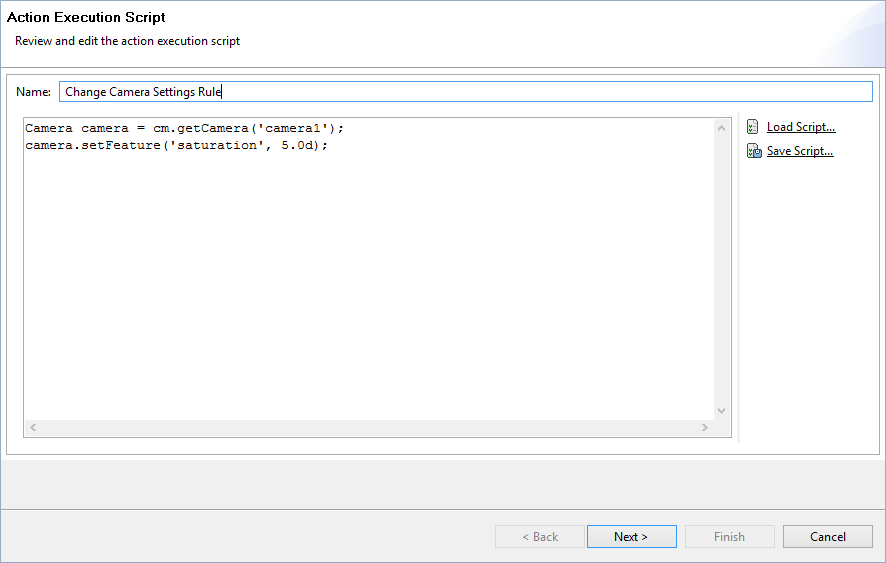
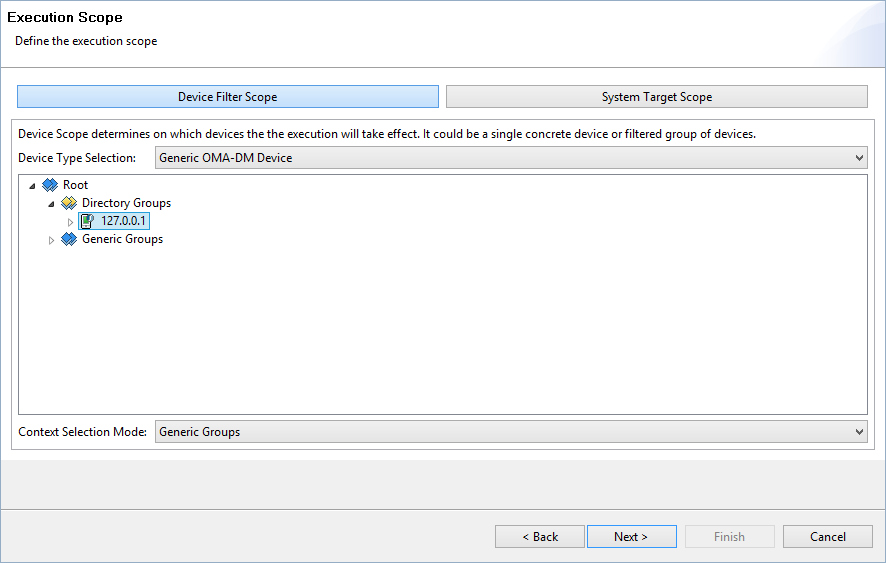
Choose Device Filter Scope -> OSGi Device -> <device_address>.
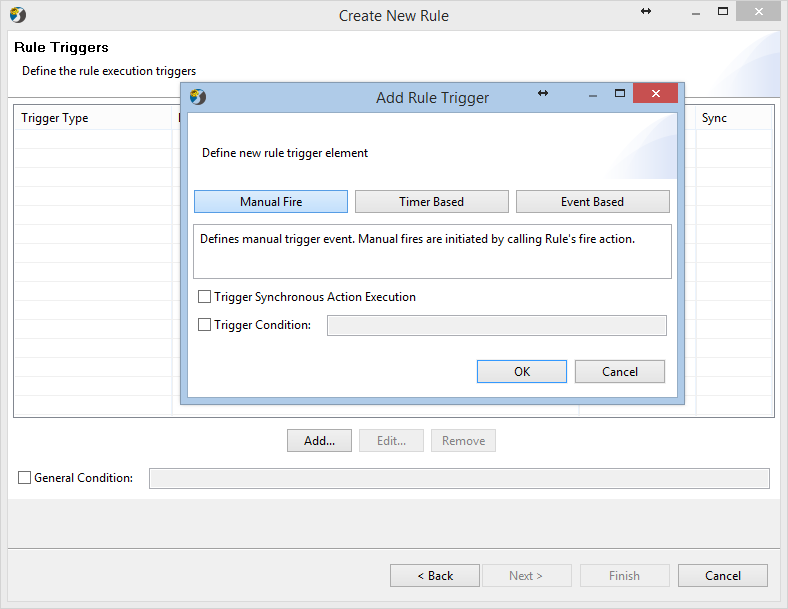
Add 'Manual Fire' rule trigger.
Add 'Event Based' rule trigger. Choose event type
'OSGiDeviceStatusChanged'.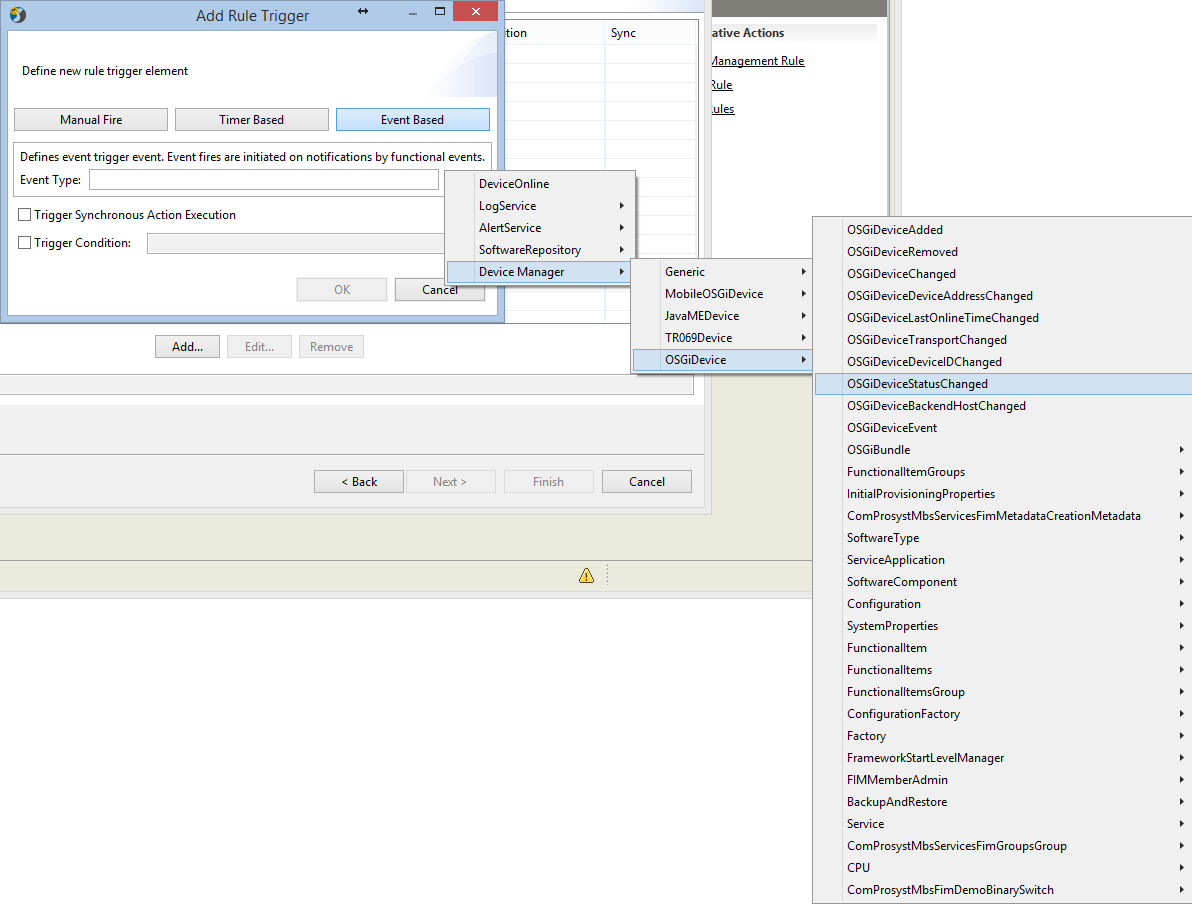
with a trigger condition
event.status=='Online'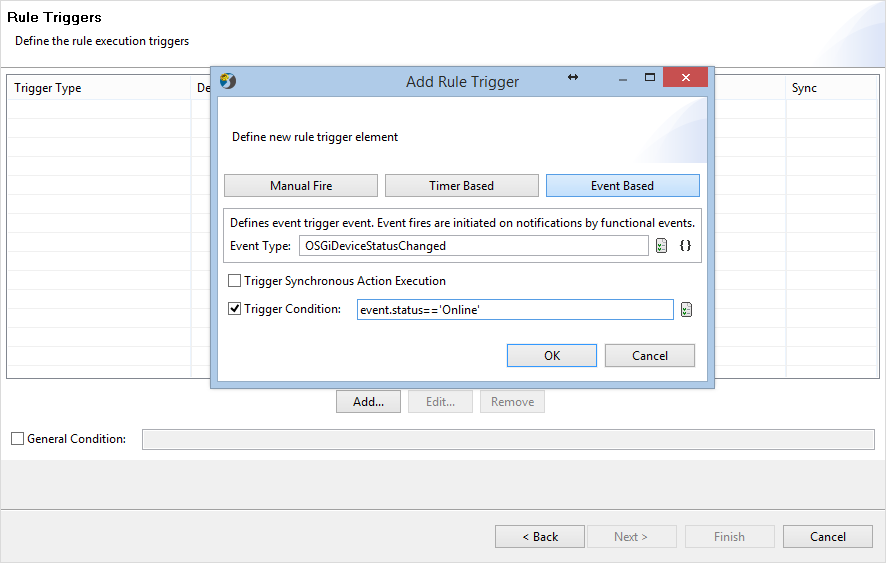
On the Next Screen choose 'No Overlapping – Cancel Old'.
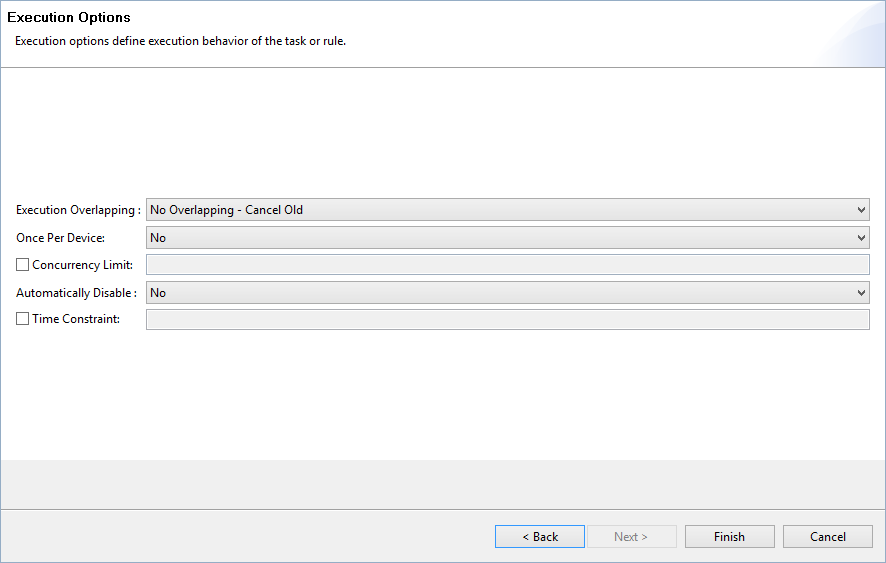
Click Finish. The Rule is 'Defined', but not yet active. Go to 'All Rules' and enable the rule.
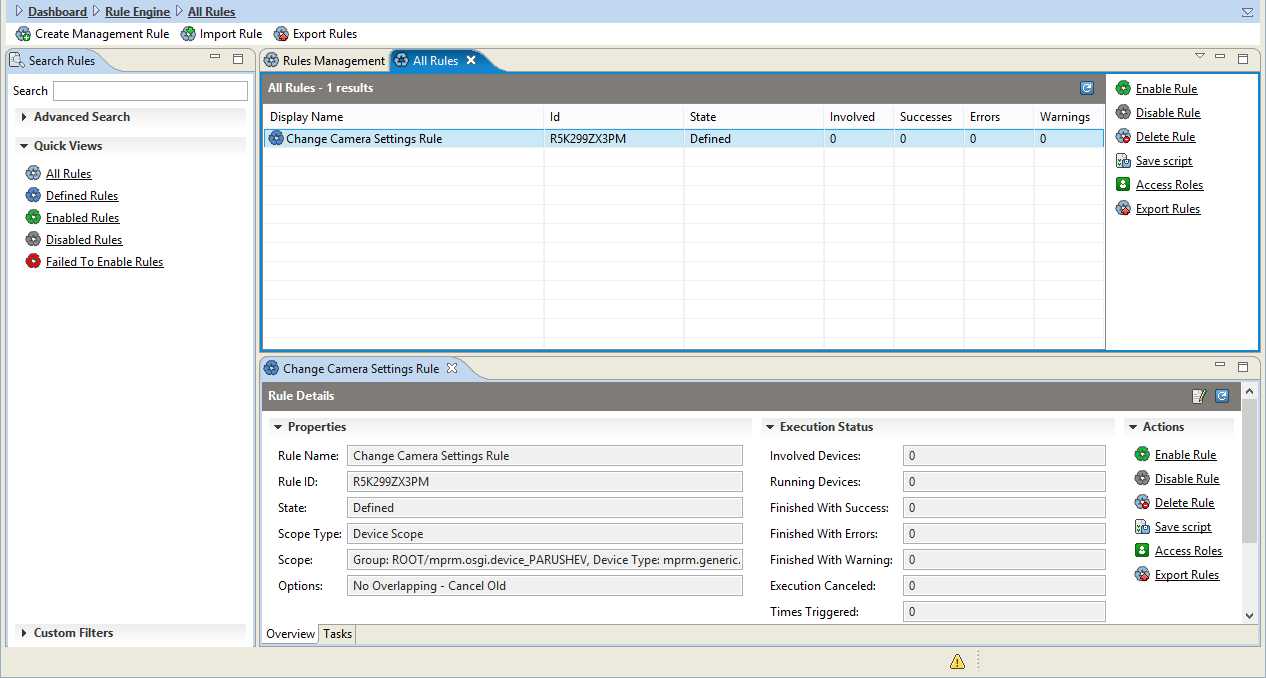
Assume the device is offline and fire the rule manually.
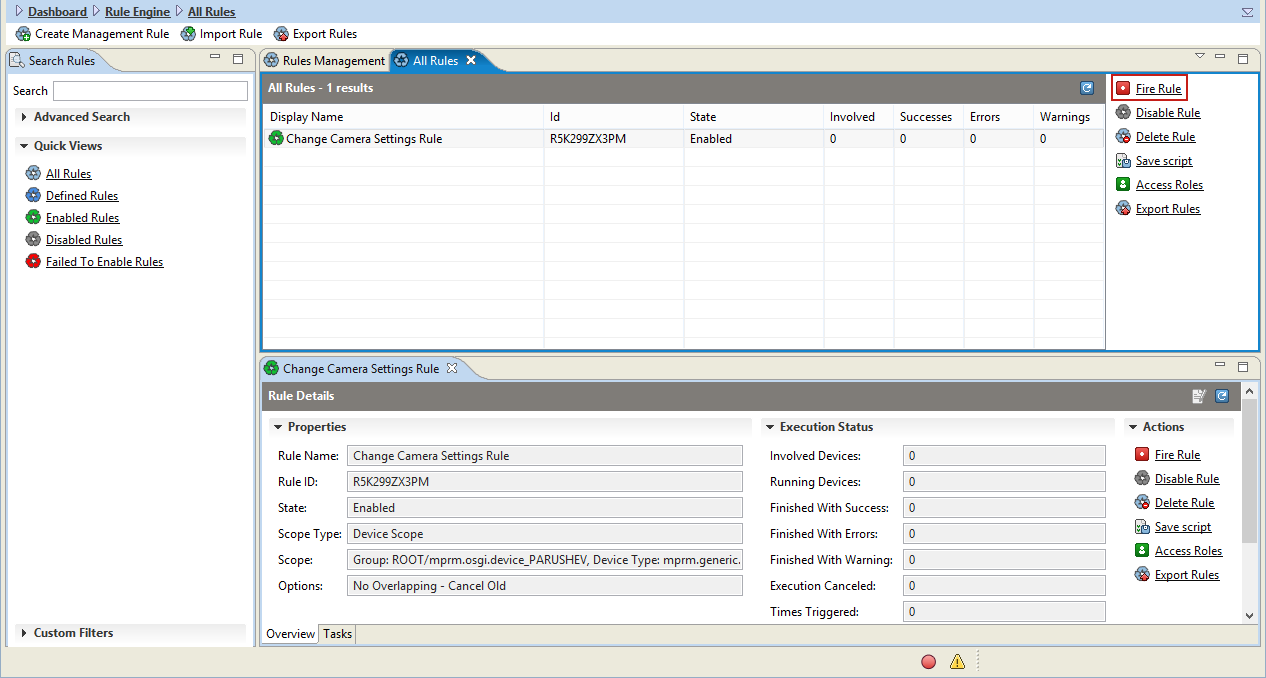
The rule task must be in state 'Enabled', because we set the async result to 'NotReadyToExecute' when there is no connection with the device.
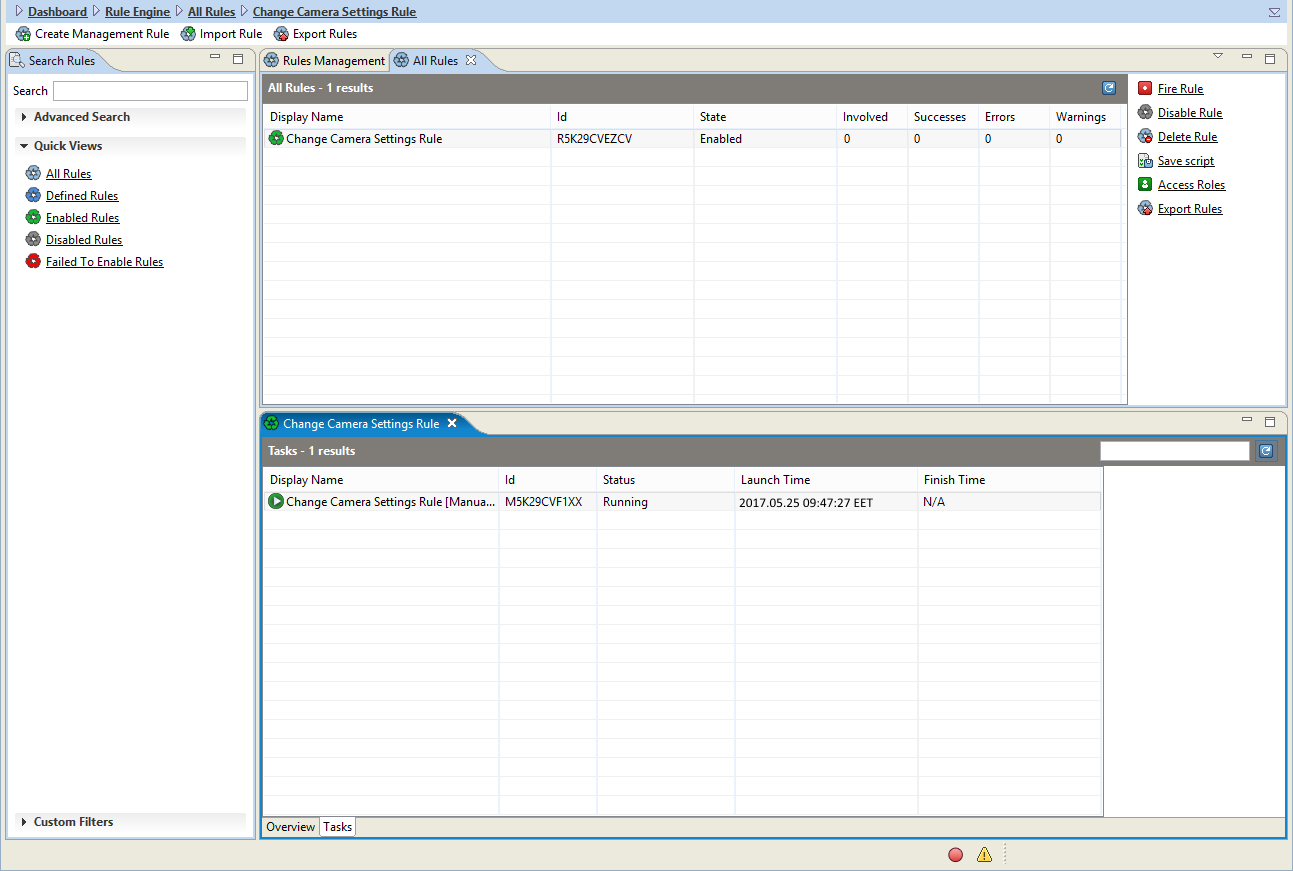
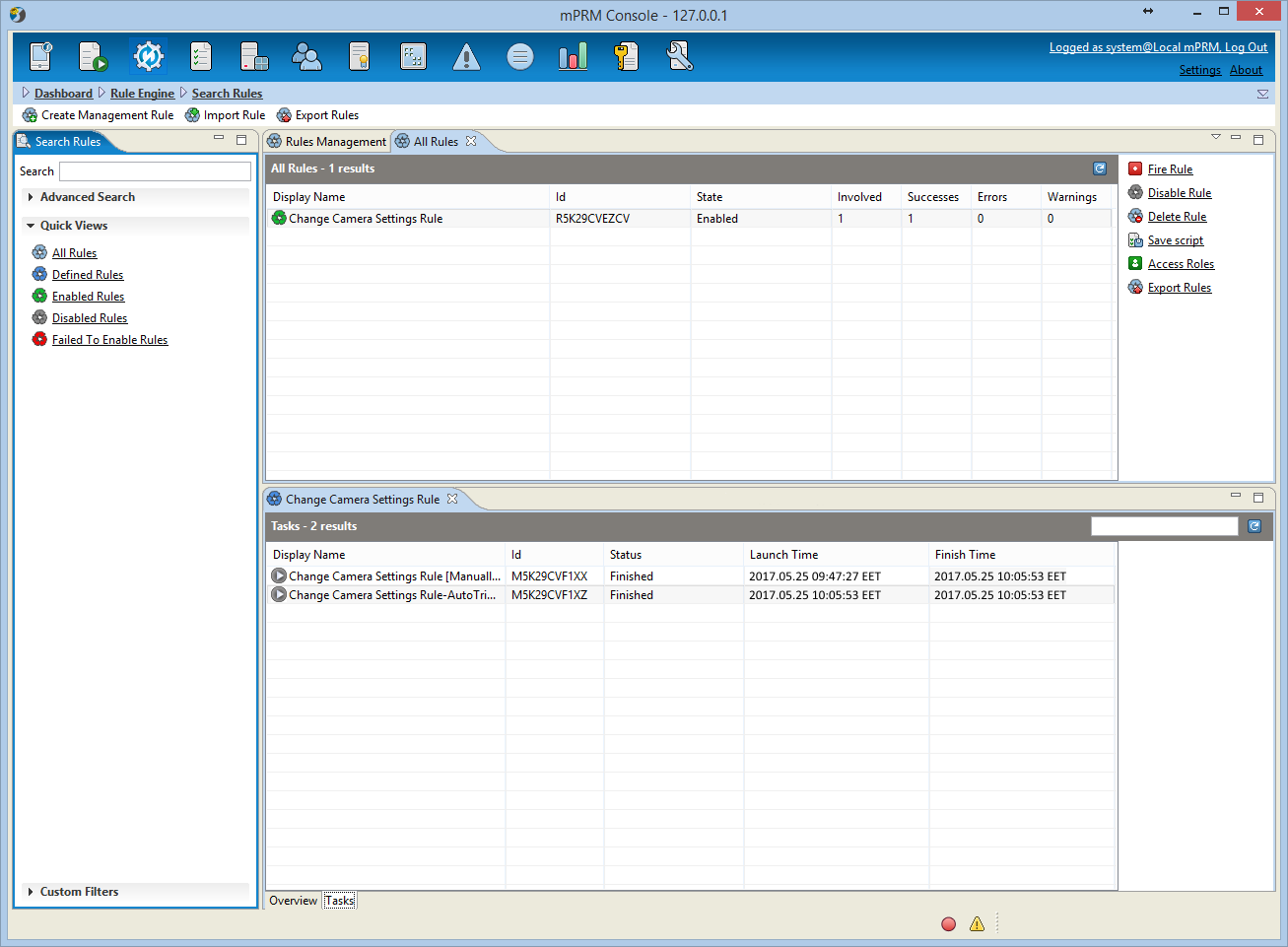
Connect the device. An 'OSGiDeviceStatusChanged' event is triggered and the rule task state becomes 'Finished'. The old running task is canceled and becomes 'Finished' as well.
Action script examples:
If we want to get the new feature value right after setting it, we must use a closure, in order to wait for the result:
Camera camera = cm.getCamera('my_dev_id');Closure c = {camera.getFeatureValue('saturation')};camera.setFeature('saturation',6.0d, c);We can change the value of 2 camera features in parallel:
Camera camera = cm.getCamera('my_dev_id');camera.setFeature('brightness',50.0d);camera.setFeature('contrast',1.0d);Consecutively:
Camera camera = cm.getCamera('my_dev_id');Closure c = {camera.setFeature('brightness',50.0d)};camera.setFeature('contrast',1.0d, c);
By default, the asynchronous method result is reported as task execution item and stored in the database, by contrast with the synchronous method result, which is not reported.
This behaviour can be predefined with the annotation @ReportToUser(enabled=true) put before the script service class declaration. In that case, for all methods results will be created execution item, stored in the database.